Contents of How-to Guides
Choosing an Encoding Method: CRF or ABR
Any Video Converter supports both CRF (Constant Quality) and ABR (Average Bitrate) encoding methods. This tutorial will show you how to switch between them to achieve the perfect balance of visual quality and file size.


Using CFR (Constant Quality)
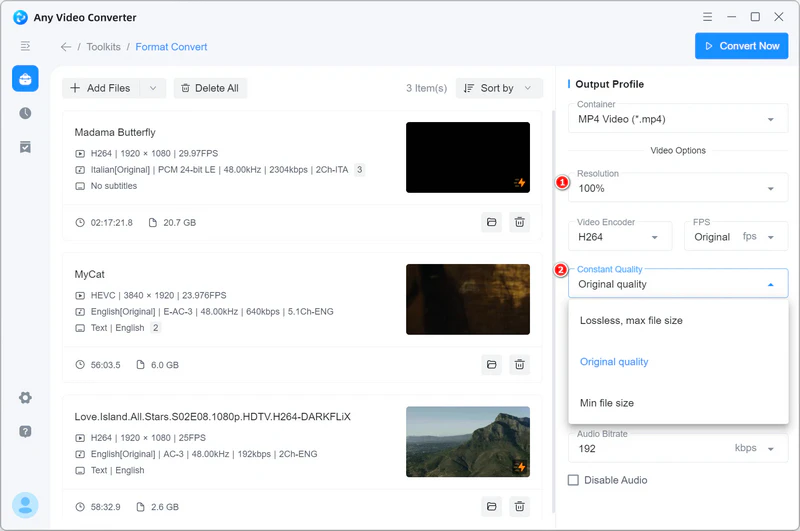
To convert videos using CRF (Constant Quality), first set the Video Resolution to 'Percent' (e.g., 100%). Then, in the 'Constant Quality' settings, select from options like Lossless, Original, or Min file size.
Using ABR (Average Bitrate)
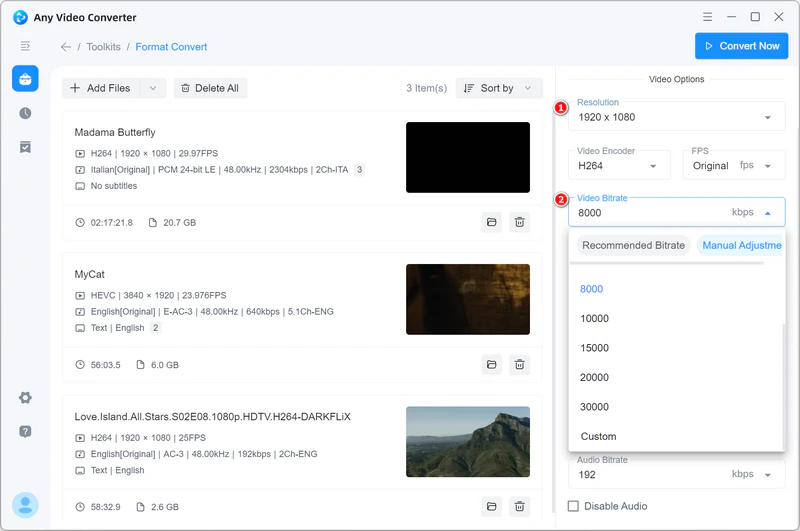
To convert videos using ABR (Average Bitrate), set the video resolution to 'Width*Height'. Then, under the 'Video Bitrate' section, apply the recommended bitrate or manually enter your preferred value.