Contents of How-to Guides
Save Your Preferences as Presets
Any Video Converter allows you to save your customized configurations as presets, making future conversions faster and more consistent. This tutorial will show you how to set them up in just a few clicks.


How to Create a Custom Preset to Save Your Settings
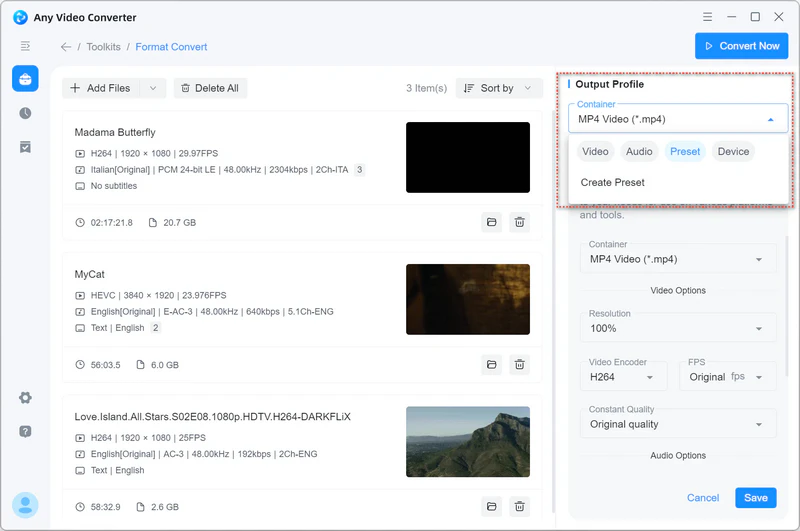
Step 1 Under the 'Output Profile' section, go to 'Preset' → 'Create Preset'.
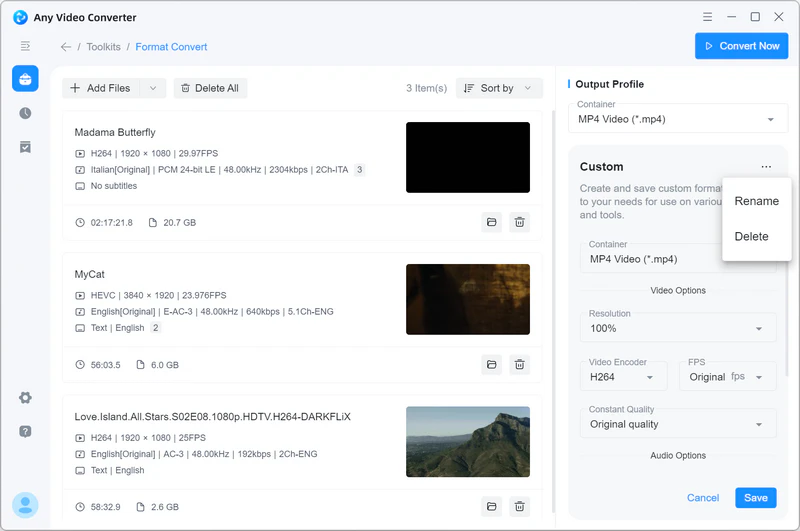
Step 2 Adjust the video and audio options to your liking, then click 'Save' to store your configuration. You can also rename or delete the presets.