


Is ESMP3 down right now?
Not entirely. As of July 2026, visiting the original ESMP3 domain redirects to Tunexa.io, which only indicates that the old page has been redirected, not that the server is down.
Have you used ESMP3 before? It's a niche online media converter. But now its domain name has now changed. If you previously used the ESMP3 YouTube converter and want to know what happened, whether it's still safe to use, this article will answer your questions and compare 10 ESMP3 alternatives to help you make the best choice based on security, stability, device compatibility, and download needs.
P.S. Download only public content that you own, are authorized to use, or permitted to be downloaded.
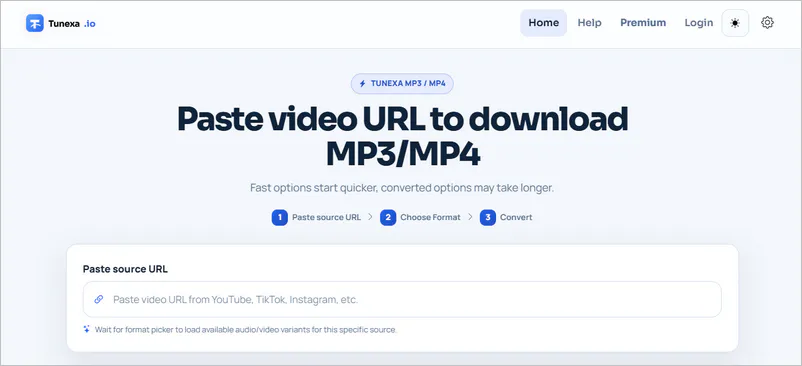
Strictly speaking, ESMP3 hasn't completely shut down, but it no longer maintains its original domain name. As of July 2026, accessing esmp3.cc redirects to https://en.tunexa.io/, indicating that the old ESMP3 domain is no longer available and has moved to the Tunexa brand. However, since the registrant information for both domains is hidden, it's currently impossible to confirm whether they belong to the same owner or the same operating company. What is certain is that the current website interface is different, and the new domain offers both Guest and Premium conversion options.
Since esmp3.cc no longer exists, we submitted the new domain https://en.tunexa.io/ to the VirusTotal website. The results showed that most security vendors did not detect explicit malicious code in this test, but three reputation services associated the URL with spam or other suspicious reputation signals.
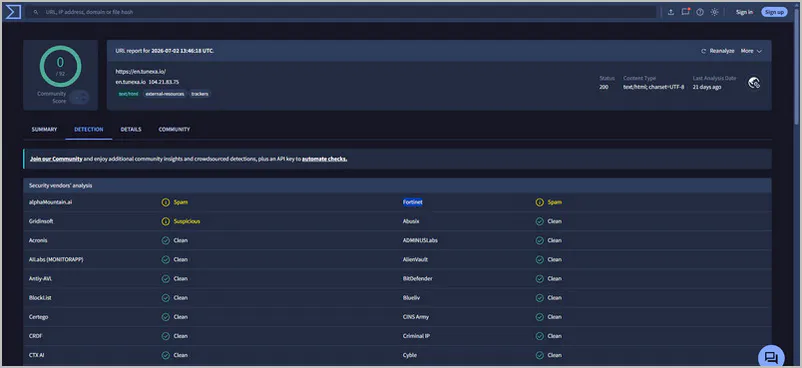
| Security Vendor | Scan Result | What It Means |
| alphaMountain.ai | Spam | The URL is associated with spam-distribution records. |
| Fortinet | Spam | The URL has appeared in spam-related records. |
| Gridinsoft | Suspicious | After considering multiple risk signals, it was listed as a suspicious website. |
| Most other security vendors | Clean | No clear risk was found in their respective databases or detection rules. |
✅ According to the SSL check the certificate is valid
✅ DNSFilter considers this website safe
❌ The website's owner is hiding his identity on WHOIS
❌ Several spammers and scammers use the same registrar
❌ This website has only been registered recently
While these warnings are insufficient to prove that ESMP3 (https://en.tunexa.io/) is a scam website, they do indicate that the domain has not earned consistent trust across security services. Before downloading YouTube content and logging into your account, verify the URL carefully and avoid entering account passwords or payment information on unfamiliar pages.
If you only want to convert a YouTube video occasionally, this new ESMP3 domain name may still be available; however, if you care more about domain stability, batch downloads, and long-term downloads, choosing an actively maintained desktop tool is usually more worry-free.
| ESMP3 Alternatives | Category | Key Feature | Limitations |
| Any Video Converter | Desktop app Download Win Download Mac |
Free conversion; batch/playlists/channels downloads; 1000+ formats/websites; subtitles extraction |
No mobile app |
| VLC Media Player | Desktop app | Free local batch conversion and re-coding | No batch links analysis |
| MediaHuman YouTube to MP3 | Desktop app | Playlist/channel tracking and tag editing | Audio-only output |
| 3D YouTube Downloader | Windows app | Multiple links analysis and detailed stream | More complex |
| ClipGrab | Desktop app | Youtube keyword search; simple online video downloads |
Limited audio output controls; no playlists downloads |
| TubeRipper | Online | Download preview and multiple audio formats | Ads, queues, and no playlist support |
| OGMP3 | Online | Bitrate options and audio trimming | Slow download speed |
| Cobalt.meowing.de | Online | Metadata and subtitles downloads | Not officially maintained |
| OnlyMP3 | Online | Dropbox export; videos up to four hours | Fixed MP3 128 kbps output; pop-ups and server instability |
| YouTube Multi Downloader | Online | Playlist parse and audio/video output formats | Downloads one by one |
| Safety | Supported Format | Supported Website | Batch Download | Playlist Download | Free/Paid |
| VirusTotal: 0/68 (URL safe) | MP3, WAV, FLAC, MP4, MKV, and 1000+ formats | YouTube, Facebook, TikTok, and 1000+ websites | Batch and simultaneous download | Playlist and channel download | Free, no registration required |
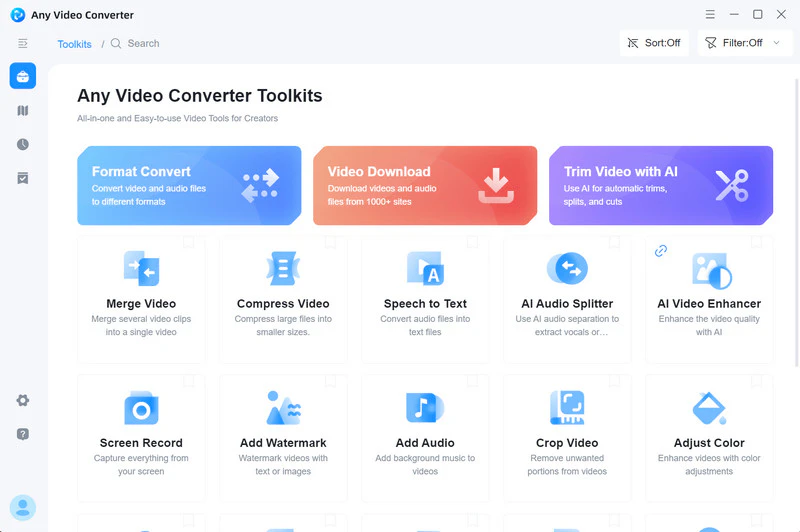
Any Video Converter's built-in Video Download tool allows you to batch add videos, playlists, or channel links, and download them to MP3, WAV, FLAC, MP4, or other formats as needed. You can also extract the required audio tracks, embed/AI-translated subtitles, and adjust output quality. It supports multiple websites including YouTube (YouTube Music + YouTube Premium), Facebook, TikTok, and Instagram. After downloading, you can continue editing the video, adding subtitles, or using AI to process the media files.
If you download videos or extract audio weekly, installing Any Video Converter will eliminate the need to repeatedly search for available domains and worry about frequent ads in web-based downloaders. Stable downloads also prevent repeated resubmissions of failed tasks. If you prefer mobile operation, please refer to the online downloaders.
| Safety | Supported System | Batch Process | YouTube Conversion | Free/Paid |
| VirusTotal: 0/98 (URL safe) | Windows, macOS, Linux, Android, iOS, iPadOS | Local conversion | Convert downloaded files | Free, open source |
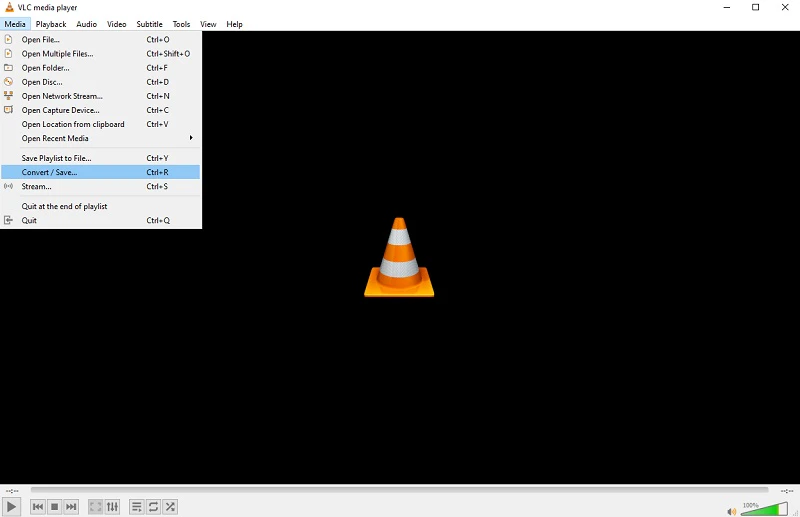
VLC Media Player is better suited for converting video files already saved on your computer. You can re-encode media files for free without uploading them to third-party servers, and without needing an account, verification, or a Premium subscription.
What Else can VLC Media Player Do Rip DVD with VLC and Convert DVD to MP4 for Free >>
We prefer using VLC to batch convert downloaded YouTube videos, local recordings, music tracks, or podcasts to MP3. It processes files locally, but it is not designed for batch downloading from YouTube.
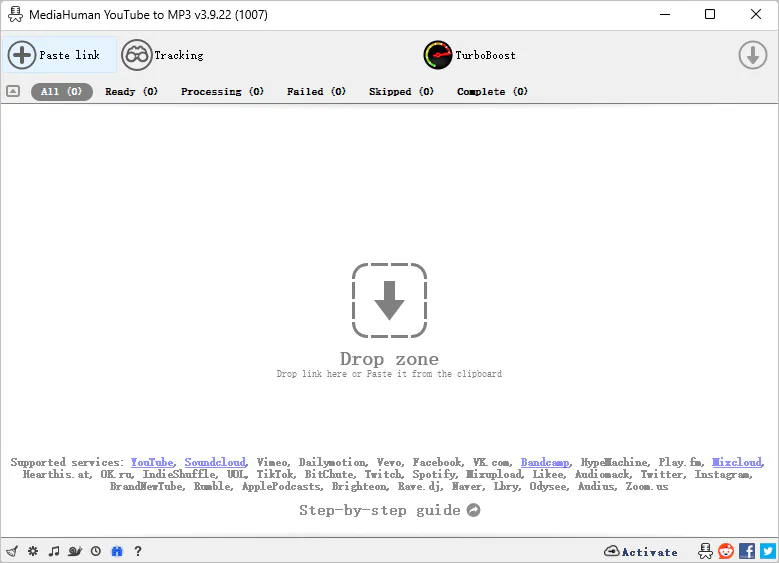
| Safety | Supported System | Batch Process | YouTube Download | Free/Paid |
| VirusTotal: 0/69 (URL safe) | Windows, macOS, Linux | ✔ | YouTube Playlist and channel download | Free version available |
MediaHuman YouTube to MP3 converter not only downloads individual YouTube videos but also parses entire playlists or channels, handling multiple audio downloads simultaneously. It can track updates to playlists or channels, automatically download newly added videos so you don't have to manually add new URLs each time. Once the links are parsed, you can edit the title, artist, album, and cover.
This program only supports MP3, OGG, WAV, and M4A formats; it does not support video formats. Therefore, it is a practical option if you are limited to audio conversion. However, if you also wish video format conversion, you will need to use a different conversion tool.
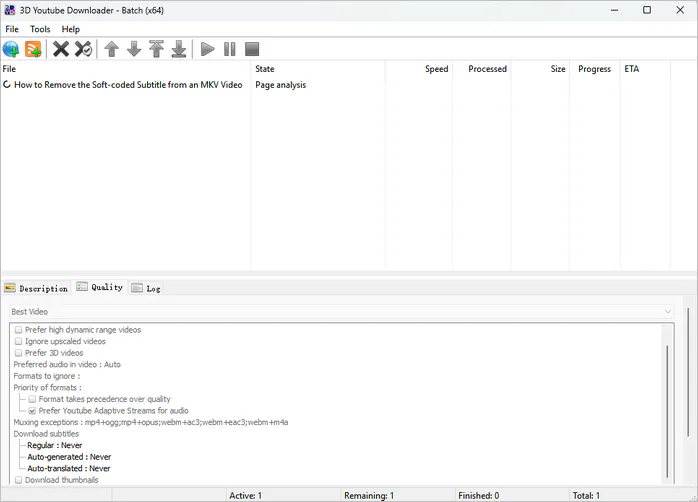
| Safety | Supported System | Batch Process | YouTube Download | Free/Paid |
| VirusTotal: 0/68 (URL safe) | Windows only | ✔ | YouTube-only; playlist download is complicated |
Free version available; $15 for permanent license |
In the free version, 3D YouTube Downloader primarily processes one video at a time. While you can add and parse multiple YouTube links simultaneously, the actual downloads must be performed one by one. As the name suggests, its standout feature is the ability to download 3D YouTube videos.
If you want to download a YouTube playlist as MP3s, one method is to manually add each video link and download them one by one, while the second is using the YouTube Data API to retrieve all the information. Both approaches are quite cumbersome. A better alternative is to use Any Video Converter; you simply need to copy the YouTube playlist link, and the software will automatically parse and download all the content.
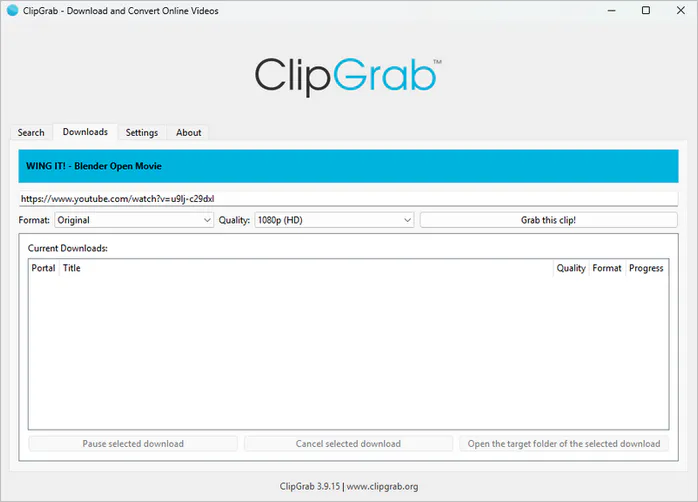
| Safety | Supported System | Batch Process | YouTube Download | Free/Paid |
| VirusTotal: 0/49 (URL safe) | Windows,Mac | No | Individual YouTube video download | Free |
ClipGrab allows you to retrieve videos from sites like YouTube and Vimeo and download them as MP3 or video files, though it does not support selecting the audio quality. The program's main interface also includes a search bar that lets you search for YouTube videos using keywords.
If you only need to convert a few YouTube videos to MP3, this program handles the task well. However, given the lack of advanced parameter settings, it is not ideal for users who require high audio quality and detailed control.
| Safety | Online Website | Supported Format | Batch Download | Ads |
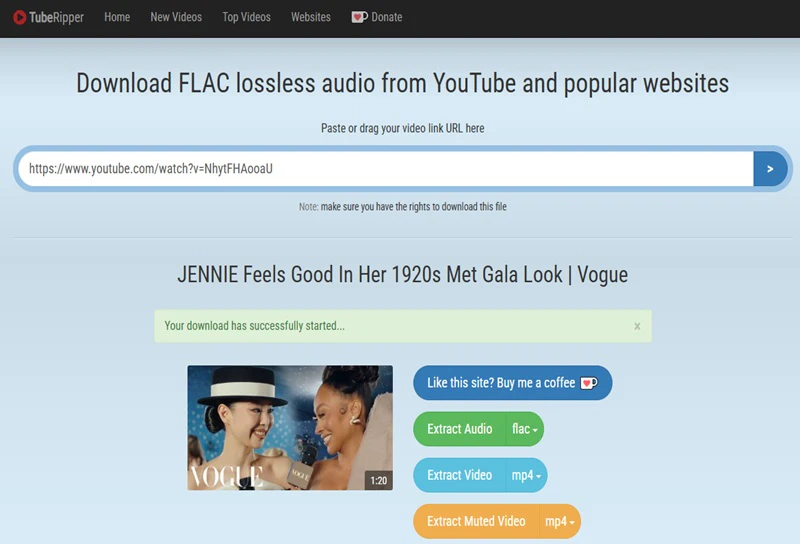
| VirusTotal: 0/93 (URL safe) | https://tuberipper.net/ | MP3, M4A, MP4, WEBM, FLAC, OGG, OPUS, WAV | No | ✔ |
In addition to pasting YouTube URLs, TubeRipper allows you to search for videos using keywords and provides previews. If you only remember the song title, guest, or name of the show, you can simply enter the keywords, view the matching videos, preview video details, and then choose to save as an MP3.
If you overlook the ads on the site, using TubeRipper in a mobile browser is indeed convenient; for the occasional download of a public video, it is faster than installing software.
| Safety | Online Website | Supported Format | Batch Download | Ads |
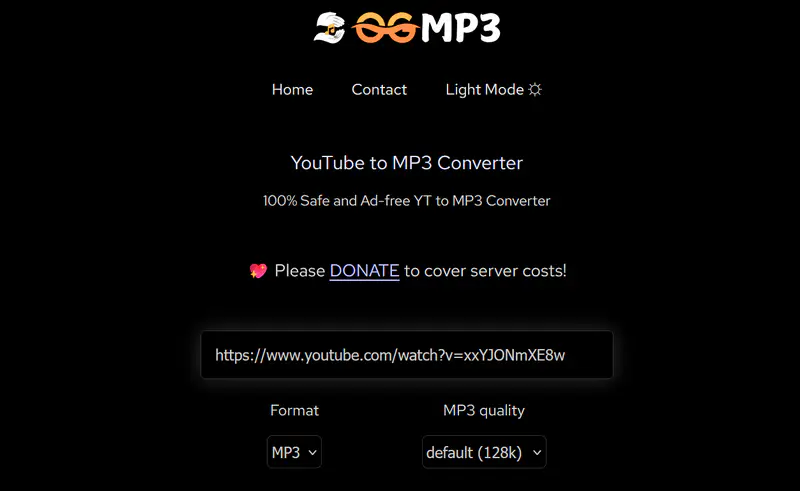
| VirusTotal: 0/92 (URL safe) | https://ogmp3.com/ | MP3 (64 kbps - 320 kbps), MP4 | No | Redirects |
OGMP3's MP3 conversion options include 128, 192, and 320 kbps, but the 320 kbps mentioned is just an output setting and does not mean that the original sound will be improved. Its website has a trim button where you can extract specific audio clips.
When we tested it, we entered a one-minute video link, but the website said it would take 5+ mins to process, which was an unexpectedly slow processing speed.
| Safety | Online Website | Supported Format | Batch Download | Ads |
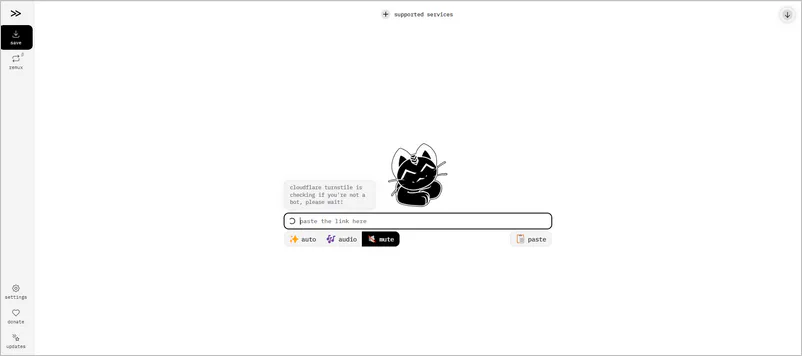
| VirusTotal: 0/92 (URL safe) | https://cobalt.meowing.de/ | MP3, MP4, MKV, WEBM, OGG, WAV, OPUS | No | Clean |
Cobalt.meowing.de is one of the most commonly used community instances of cobalt.tools. This version currently supports downloading YouTube content and allows customization of the YouTube bitrate and preferred dub language. Besides YouTube, you can also download content from more than 10 other platforms such as Dailymotion, Reddit, and Instagram.
The website has a clean interface with almost no pop-up ads. It can also save metadata and subtitles, which is more comprehensive than other online MP3 converters.
| Safety | Online Website | Supported Format | Batch Download | Ads |
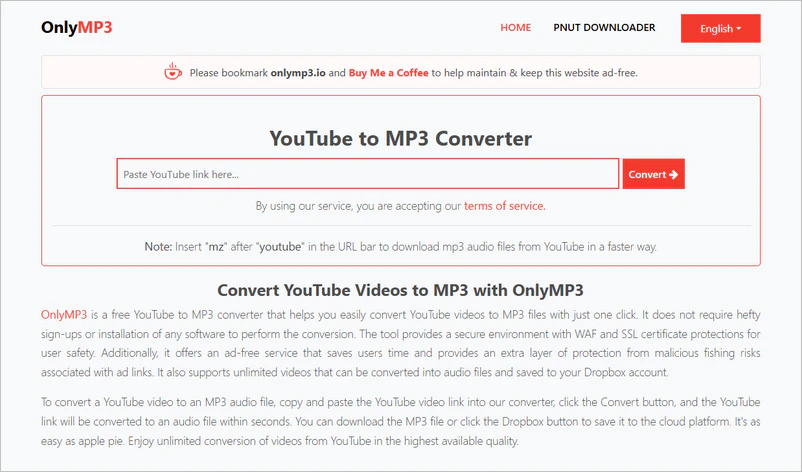
| VirusTotal: 0/92 (URL safe) | https://en.onlymp3.io/ | MP3 (128 kbps) | No | Pop-up window |
OnlyMP3 can handle videos up to approximately 4 hours long. You can directly download the parsed MP3 files to Dropbox without first downloading them to your device. This makes it easier to access MP3 files across multiple devices.
After opening the website, simply enter a YouTube link and click "Convert MP3". It will then begin processing the link. Once completed, you'll see "Download MP3" and "Save to Dropbox" buttons. You cannot select the audio quality because the default download quality is 128 kbps. The process of downloading YouTube to MP3s is relatively smooth, but it takes a bit of time.
| Safety | Online Website | Supported Format | Batch Download | Ads |
| VirusTotal: 0/94 (URL safe) | https://ytmultidownloader.com/ | MP4, WEBM, MP3 | Batch parsing but downloading one by one | ✔ |
YouTube Multi Downloader is suitable for users who want to parse playlists in their browser. However, playlist parsing doesn't mean it can batch download the entire playlist. In actual testing, we still need to manually click the download button one by one.
The website did successfully parse the playlist we entered. However, while the MP3 download is in progress, you need it to finish downloading before you can download the second video. This means you will spend more time waiting for the task to complete.

There are many reasons to choose ESMP3 alternatives, but the most important factors are security, stability, and high quality.
1. Security: Avoid fake domain names and unexpected redirects.
Part 1 mentioned that the security of ESMP3 was questionable after its domain name was changed to Tunexa. If the download and conversion process is completed locally, there is no need to repeatedly go through web page ads, redirects, or third-party conversion servers.
2. Stability: Reduce website failures and repeated download attempts
Desktop tools like Any Video Converter, which are continuously updated, are usually able to adapt to changes in streaming websites more quickly. This is because regular updates from developers prevent widespread bugs.
3. High quality: Preserves the original audio
Choose a tool that can view and save the original M4A, AAC, or Opus audio streams, rather than just looking at whether it offers MP3 320 kbps.
Not entirely. As of July 2026, visiting the original ESMP3 domain redirects to Tunexa.io, which only indicates that the old page has been redirected, not that the server is down.
Step 1: Paste the copied public YouTube link.
Step 2: The website will automatically parse the link and provide MP3 format.
Step 3: Guest users need to complete the verification before clicking "Start Download" to begin downloading YouTube to MP3.
Partially free. If you want to remove verification, playlist downloads, priority speed, and some advanced features, you need to upgrade to Premium.
Yes. Its service runs through a browser, so it can be opened on a mobile phone. However, the final file save location depends on the download settings of the Android, iPhone, and browser.
Yes. The website offers output options up to 320 kbps. However, selecting 320 kbps does not transform a low-quality source into high-quality audio. It only indicates that the output MP3 uses a higher encoding bitrate; details lost in the original audio cannot be recovered through re-encoding.
No. Visitors can download videos without logging into their email address.
ESMP3 Premium (Tunexa Premium) features mainly include:
The "best" tool is one that can complete your download task with minimal risk and minimal repetitive operations.
ESMP3 hasn't been completely shut down. The new website can still meet the occasional need to convert a single video, but with the domain change, inconsistent security assessments, and premium restrictions, you should probably consider its alternatives.
For temporary downloads, online tools are suitable; for batch downloads, playlist processing, or more comprehensive audio quality control, desktop solutions such as Any Video Converter can be considered. Regardless of the tool chosen, security, stability, and original audio quality should be considered comprehensively, and only download content that you own or have permitted.

Besty Smith is a talented and insightful content creator with a keen interest and passion for software programs. She focuses on in-depth research and hands-on experience with various types of software, providing readers with in-depth and inspiring content through precise writing. With her keen insight into the software industry, Besty is committed to helping readers keep abreast of the latest industry trends so that they can stay competitive in the digital age.