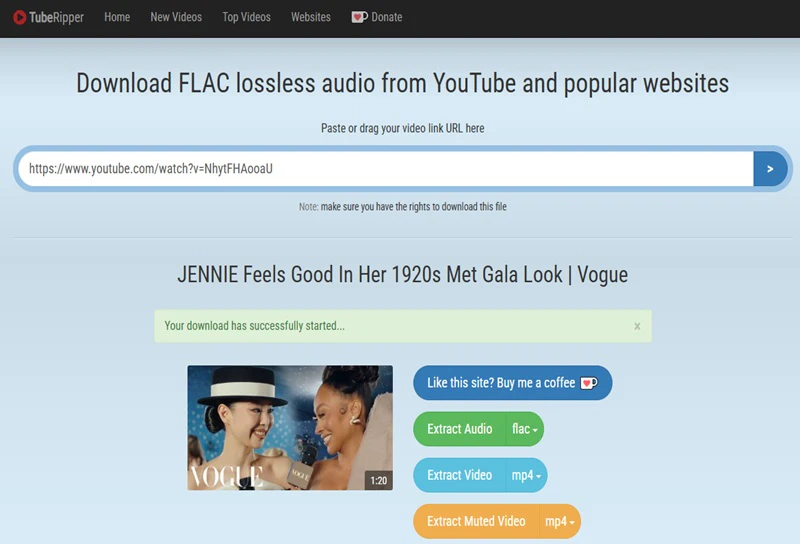
Part 1: What Is TubeRipper Video and Audio Downloader?
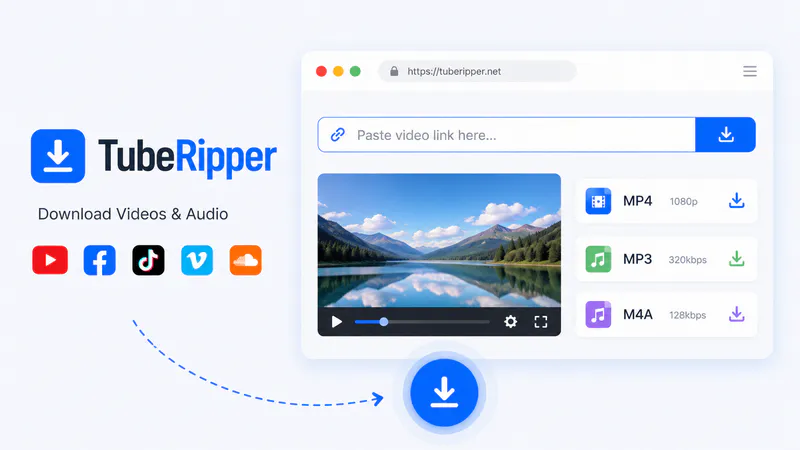
TubeRipper allows you to extract video, audio, or muted videos from YouTube, Facebook, Vimeo, Dailymotion, Pornhub, and multiple supported websites. You can download online videos instantly by opening the website.
Key Features of TubeRipper
- Web-based online downloader, ready to use, and no installation required
- Multiple audio and video download options
- No watermark in any downloaded videos
- Download and convert 1+ hour videos
TubeRipper Supported Websites
According to its website's verified reports, here I listed the websites supported by TubeRipper, categorized by video platforms, social media platforms, music platforms, and adult platforms. All supported websites are verified by TubeRipper (https://tuberipper.net/sites). But it may change over time.
| Category |
Supported Websites |
| Video platforms |
YouTube, Vimeo, Dailymotion, Twitch... |
| Social platforms |
TikTok, Facebook, X, Reddit, Snapchat... |
| Music platforms |
SoundCloud, Vevo, Mixcloud... |
| 18+ Platforms |
Pornhub, Xvideos, Xhamster... |
Part 2: Does TubeRipper Still Work in 2026?
During testing, TubeRipper is still accessible and functional in 2026. However, I must point out that its availability may change frequently.
| Short YouTube video |
✅ Successful |
| Music video |
✅ Successful |
| Long video (4 hours) |
⚠️ Parsing failed initially |
| Playlist |
❌ Not supported |
| Batch download |
❌ Not supported |
| High-quality output |
⚠️ Pro required above 360p MP4 / 128 kbps MP3 |
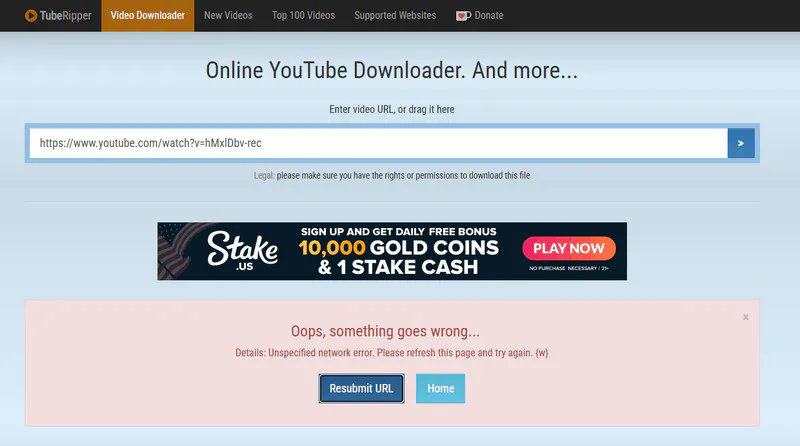
When I try to use TubeRipper to download a 4-hour YouTube video, the website displays a "something goes wrong" error and fails to parse the link - despite my network connection being stable. Following its instructions, I click "Resubmit URL" twice in succession before finally succeeding in parsing the video. So, if you encounter a situation similar to mine while using TubeRipper, you can keep clicking the "Resubmit URL" button until the video is successfully analyzed.
TubeRipper's free version also comes with some usage limits. Free version can download MP4 videos up to 360p and MP3 audio up to 128 kbps. More formats and higher-quality output require an upgrade to Pro.
If TubeRipper is not working, try these fixes first:
- Verify that YouTube videos play correctly
- Test with a different video
- Refresh the page or clear your browser cache
- Temporarily disable browser extensions that might interfere with page loading
If these fixes still don't solve the problem, you can switch to the more stable Any Video Converter. After all, online downloaders are suitable only for occasional downloads, whereas professional downloading software supports batch downloading, playlist downloads, multiple output formats, and enhanced control options for users who require a comprehensive and stable workflow.
Part 3: Which TubeRipper Site Is Real?
👉 TubeRipper website: https://tuberipper.net/
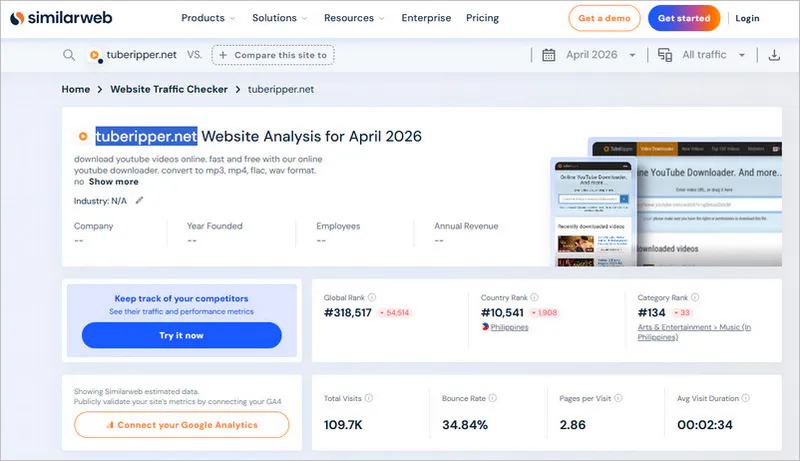
Directly searching for the domain "tuberipper.net" in your browser will redirect you to its website. Data from SimilarWeb shows that tuberipper.net consistently attracts users worldwide. This, combined with its extensive registration history and a clean bill of health from Google Safe Browsing, underscores its credibility. Taking traffic volume, search ranking, and domain longevity into account, tuberipper.net is commonly considered the primary website currently associated with TubeRipper.
Part 4: Is TubeRipper Safe for Video and Audio Downloads?
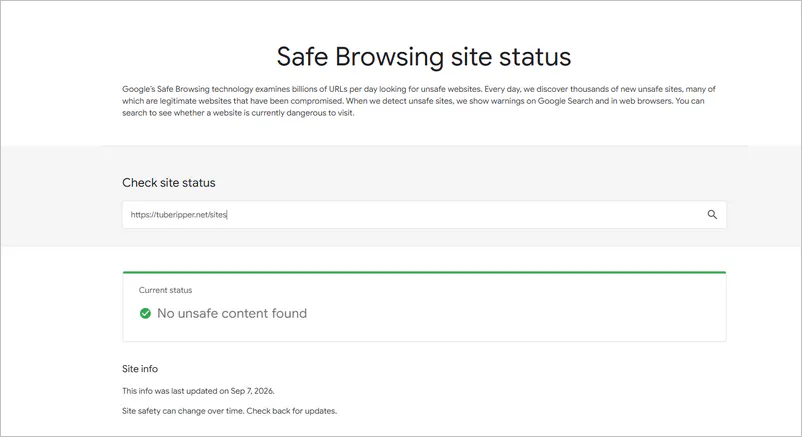
I checked tuberipper.net with Google Safe Browsing on September 16, 2026. At the time of our check, Google did not flag the site for known unsafe content.
TubeRipper can be useful for basic download tasks, but you should first verify website authenticity and avoid suspicious ads or downloads. As I mentioned above, just make sure you're using tuberipper.net, and don't click any buttons other than the download button. For better privacy, you can use an incognito/private window.
What I observed during our hands-on test:
✅ Uses HTTPS
✅ No browser extension required
✅ No mandatory registration
✅ No excessive redirects
✅ No suspicious download buttons
1. HTTPS encrypts the connection between your browser and the site.
2. Real websites typically use cloud-based parsing, allowing users to complete downloads directly from the webpage. tuberipper.net does not force users to download any Chrome extensions or plugins.
3. I can directly paste links and download without registering an account or providing an email address on tuberipper.net. Fraudulent websites often force you to register by claiming "identity verification is required".
4. I didn't encounter 3-4 spam pop-ups after clicking a button. Excessive redirects are usually a tactic used by low-quality fake websites.
5. The download links from tuberipper.net clearly show MP4, MP3, and other provided format options instead of fake .exe or .dmg installers.
How to Use TubeRipper Safely?
Step 1: Open https://tuberipper.net/. It's best to install uBlock Origin in Chrome or Edge browsers because it can block unwanted malicious pop-ups and ads.
Step 2: Go to YouTube or another supported platform, copy the full URL of the video you want to download, and paste it into the input box in the center of the TubeRipper website.
Step 3: Click the "Right Arrow" button or press "Enter" to start parsing the video link. Once parsing is complete, you will see a list of audio and video format options.
Step 4: Select your desired format and quality to trigger the download.
Part 5: Top 5 TubeRipper Alternatives in 2026
While TubeRipper is convenient, it also has some inherent limitations. For example, it can't achieve both high video and audio quality, has no custom parameters, has no high-speed download, is unable to download or embed subtitles, and has unstoppable ads. If you're sick of the limitations of TubeRipper and above, then you'll need the following top 5 alternatives for video and audio downloads.
| TubeRipper Alternatives |
Output Formats |
Batch Download |
Best For |
| Any Video Converter |
MP4, M4A, MKV, MP3, FLAC, WAV |
✔️ |
Download, convert, and edit videos in one stop |
| Cobalt.tools |
MP4, MP3, GIF |
❌ |
Fast, ad-free media downloads |
| SaveMP3
|
MP3 |
❌ |
Extracting music and audio from differrent videos |
| OGMP3 |
MP3, MP4 |
❌ |
Simple YouTube to MP3/MP4 conversion |
| Onlymp3
|
MP3 |
❌ |
Fast YouTube audio extraction |
| Feature |
TubeRipper |
Any Video Converter |
| Occasionally downloading a public video |
✔️ Suitable |
✔️ Suitable |
| Add multiple URLs at once |
❌ Unable to do |
✔️ Can do |
| Playlist or channel |
❌ Not supported |
✔️ Parse and select download items |
| Subtitles and audio extraction |
⚠️ Limited. Audio can be extracted |
✔️ Subtitles and audio tracks can be downloaded |
Unlike the TubeRipper online downloader, Any Video Converter is a local desktop software. Firstly, it's a legitimate software installed on your computer and will never display any third-party ads during the download process. Secondly, it can easily handle the compositing of 4K, 8K, and HDR videos with high-quality audio and video tracks. Thirdly, it can batch download any supported playlist containing 50+ videos. Local desktop software generally offers far more functionality than online tools.
Pros:
✔️ Download
YouTube and 1000+ website URLs for free
✔️ MP4,
MP3 and 1000+ high-quality format support
✔️ Embed/extract/delete subtitles or audio tracks
✔️ Unlimited short/long videos download at high speed
✔️ Built-in video editing and
AI post-processing
Cons:
❌ Only installable on Windows and
Mac
❌ No online downloading
How to Download Video and Audio in Any Video Converter
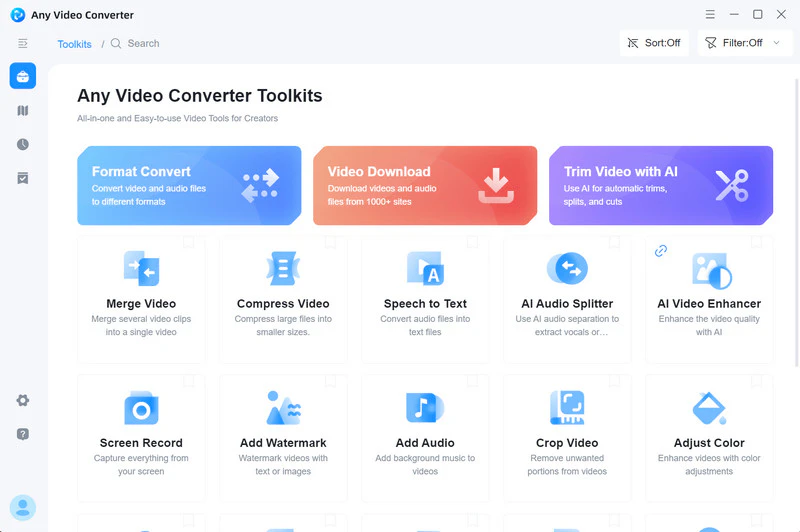
Step 1 Click the installer package below to start installing Any Video Converter. After installation, launch it and enter the video download tool.
Step 2 Open YouTube, TikTok, Facebook, or any video platform you need
to download, and copy the video URLs.
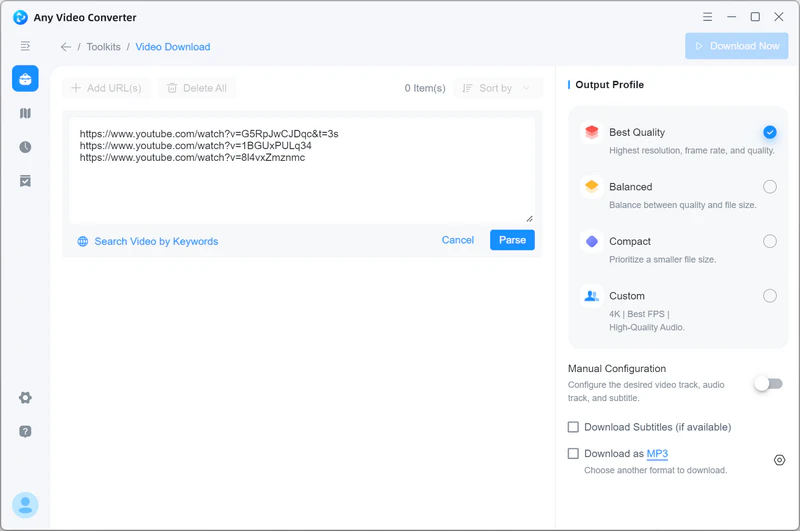
Step 3 Paste the copied link into the search box, and then click
"Parse Now" to start analyzing the link.
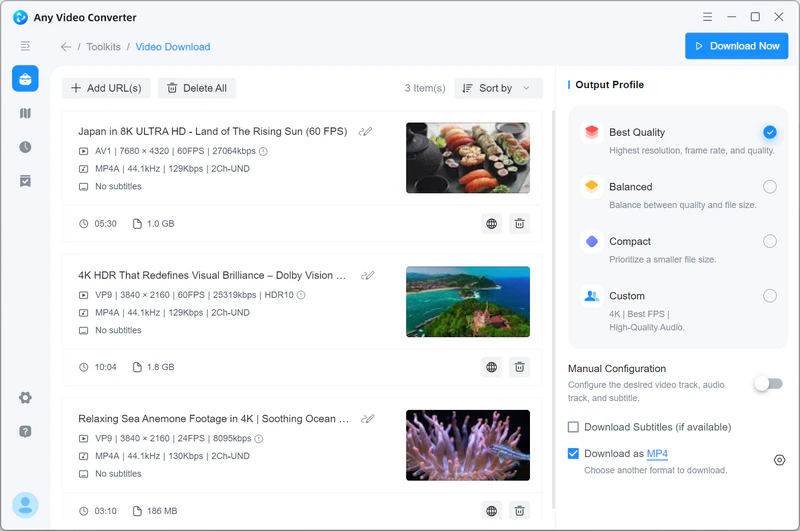
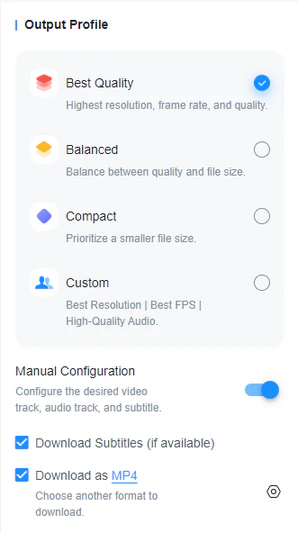
Step 4 After the parsing is complete, you can choose the download quality (best, balanced, or compact quality) or select the desired format in the custom settings.
Step 5 Click "Download Now" and the software will automatically
process and save the videos.
Download Process Review
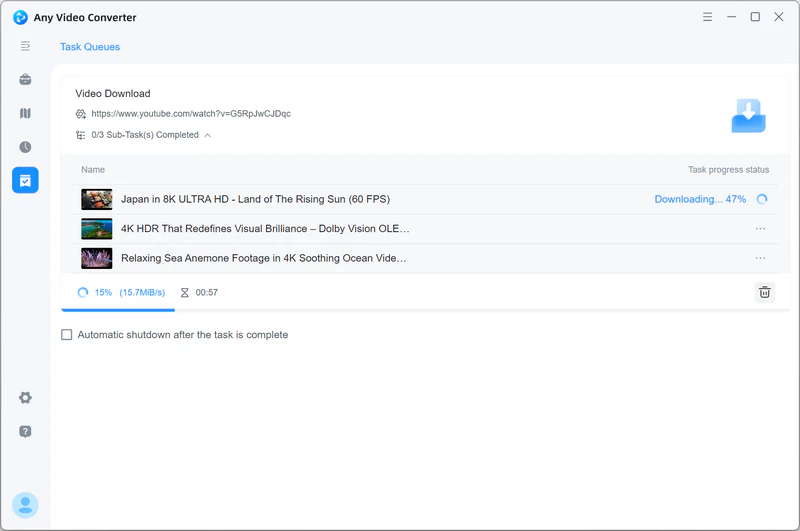
During testing, I primarily used various YouTube links; as shown in the screenshots above, the program displays detailed video information and provides clear button prompts, making the entire download process simple and straightforward.
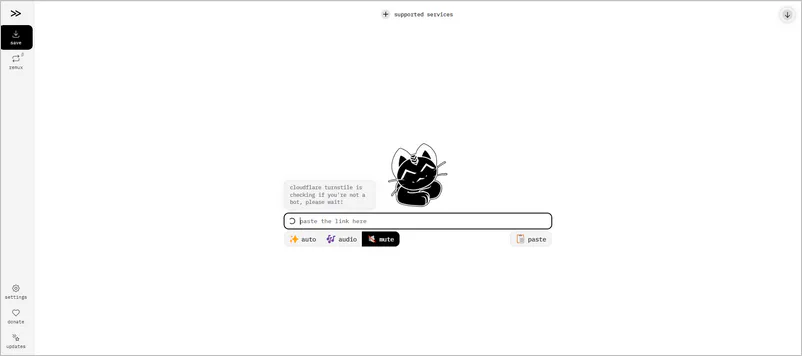
Cobalt.tools is a clean web application for extracting videos (MP4, WEBM, MKV), audio (MP3, OGG, WAV, OPUS), GIFs, or images from TikTok, Twitter/X, Instagram, Reddit, Pinterest, and various social media platforms. It features no complicated setup, no ads, no tracking, and a fast download experience.
Pros:
✔️ No ads in the test
✔️ Clean download process
✔️ Save GIFs or images
✔️ Support 4K/8K extraction
Cons:
❌ Unable to download YouTube content
❌ No Batch Download
❌ No advanced editing features
Download Process Review
During testing, Cobalt.tools offered a streamlined and fast downloading experience. When testing links from various supported platforms, it was able to directly parse and download media files without requiring user registration or software installation. However, it does not support batch processing or playlist downloads.
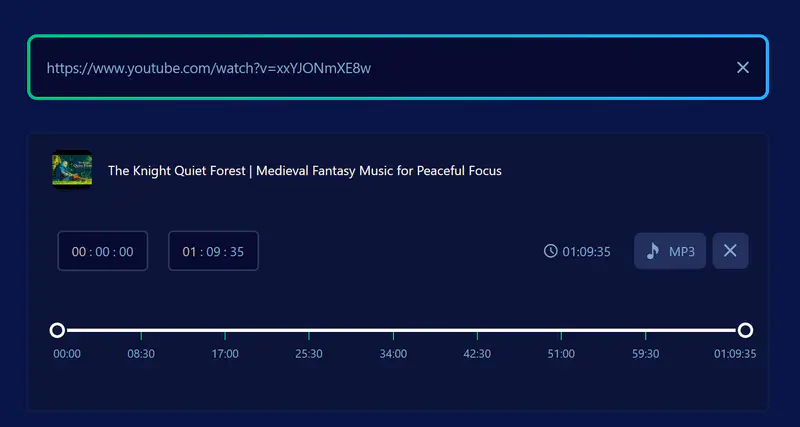
SaveMP3 can convert YouTube, SoundCloud, and other online videos into high-quality MP3 audio. Videos longer than two hours require downloading its extension to convert to MP3 or using its built-in trimmer to shorten the duration.
Pros:
✔️ Save music, podcasts, and video to MP3
✔️ YouTube, TikTok, Instagram, SoundCloud, and other major platforms support
✔️ Built-in trimmer for extracting segments
Cons:
❌ Unable to download MP4 video
❌ No lossless audio option
❌ Limited video duration (< 2 hours)
Download Process Review
Its built-in trimming feature is suitable for users who only need the audio portion of a video, but it is primarily designed for MP3 conversion rather than a video downloading tool.
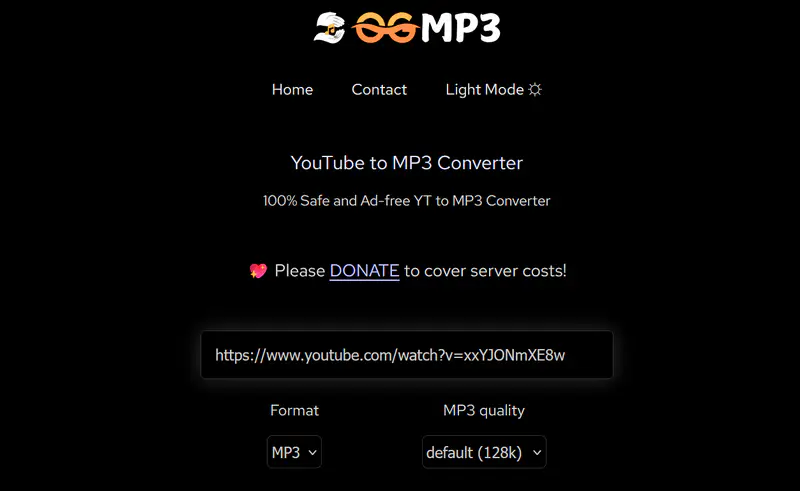
OGMP3 is a web-based video converter specifically optimized for mobile devices. It processes online YouTube videos to MP3/MP4 files very quickly on mobile browsers (iOS and Android), making it ideal for mobile users. OGMP3 has lower ad reach than TubeRipper.
Pros:
✔️ Save video to MP3/MP4 online
✔️ Fast video parsing speed
✔️ No video duration limit
Cons:
❌ YouTube URLs only
❌ Long videos may take 5+ minutes to process
Download Process Review
Its name might mislead you into thinking it can only convert videos to MP3, but it can actually quickly convert YouTube to MP4 as well. It just lacks advanced options.
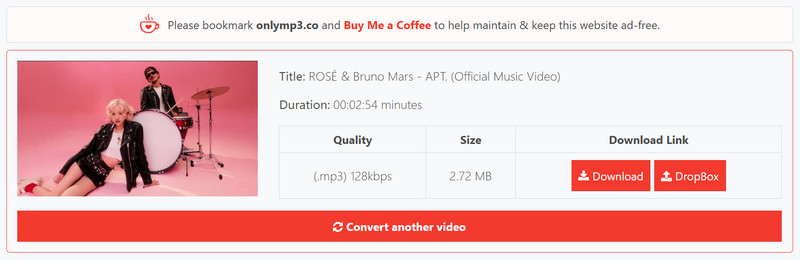
OnlyMP3 is primarily used to extract MP3 audio files from YouTube videos. Like TubeRipper, you usually only need to paste the video link; no registration or software installation is required to complete the YouTube to MP3/MP4 conversion online.
Pros:
✔️ Unlimited conversions in an ad-free environment
✔️ Directly store audio in the Dropbox
Cons:
❌ YouTube video duration allowed up to 6 hours
❌ Audio-only output
❌ Slow link parsing speed
Download Process Review
This online tool offers a straightforward YouTube to MP3 conversion experience, allowing you to convert files without installing software or signing up an account. However, it also lacks advanced features such as batch downloading or playlist downloading.
Part 6: FAQs about TubeRipper
Which TubeRipper alternative is better?
If you need batch downloads, playlist support, conversion, and editing features, Any Video Converter is a more complete desktop alternative.
|
TubeRipper |
Any Video Converter |
| Multi-format conversion |
MP4, 3GP, MP3, FLAC, WAV |
MP4, M4A, MKV, MP3, FLAC, WAV |
| Batch conversion/download |
❌ |
✔️ |
| Video editing |
❌ |
Video trimmer, video cropper, audio splitter, etc.
|
| 4K/8K/HDR download |
❌ |
✔️ |
| Video enhancement |
❌ |
AI video enhancer |
| Ads |
Contains ads |
No malicious ads |
| Download stability |
Unstable download |
Stable download, 99% download success rate |
If you only want to use web-based tools, Cobalt.tools is cleaner and safer to use.
Are people still using TubeRipper?
Yes, TubeRipper hasn't disappeared; many people are still using it. Third-party traffic statistics show that tuberipper.net receives approximately 69.4K monthly visits.
How do I use TubeRipper to download videos on mobile devices?
Downloading videos on your phone using TubeRipper can be done simply through your mobile browser.
Step 1: Open tuberipper.net in your mobile browser and paste the copied video URL into the input box.
Step 2: Select MP4, 3GP, MP3, M4A, WEBM, FLAC, WAV, or muted video as needed.
Step 3: Clicking the download button will typically save the file to the Downloads folder (Android) or the Files app (iPhone).
Can TubeRipper download 4K YouTube videos?
No. It can only download up to 1080p MP4 videos.
Does TubeRipper keep original audio quality?
This depends on the video source and the output format. Take YouTube as an example;its audio is usually stored in Opus or AAC format. When you choose to download an MP3, TubeRipper needs to decode it and then re-encode it into MP3, which results in some audio quality compression.
Why is TubeRipper not working?
Many websites frequently strengthen their encryption to block third-party download tools. In this case, you can only wait for the website to fix it, which usually takes several hours to several days. If it's just a temporary issue, you can try clicking "Resubmit URL" to re-parse the video. If TubeRipper is unavailable in your region for an extended period, switch to more effective alternatives like Any Video Converter and Cobalt.tools.
Final Thoughts
In 2026, TubeRipper remains a viable and convenient online downloader for quick conversion tasks like offline viewing, study archiving, or basic content saving. However, if you require batch downloads, higher quality, faster speeds, subtitle management, or a more comprehensive video workflow, a TubeRipper alternative like Any Video Converter may be the better long-term choice. Ultimately, there is no "perfect" tool - only the one that best fits your specific needs.

Besty Smith | Content Writer
Besty Smith is a talented and insightful content creator with a keen interest and
passion for software programs. She focuses on in-depth research and hands-on experience with various
types of software, providing readers with in-depth and inspiring content through precise writing. With
her keen insight into the software industry, Besty is committed to helping readers keep abreast of the
latest industry trends so that they can stay competitive in the digital age.