


2026 SaveMP3 Real Test: Is It Safe, Free and Worth Using?
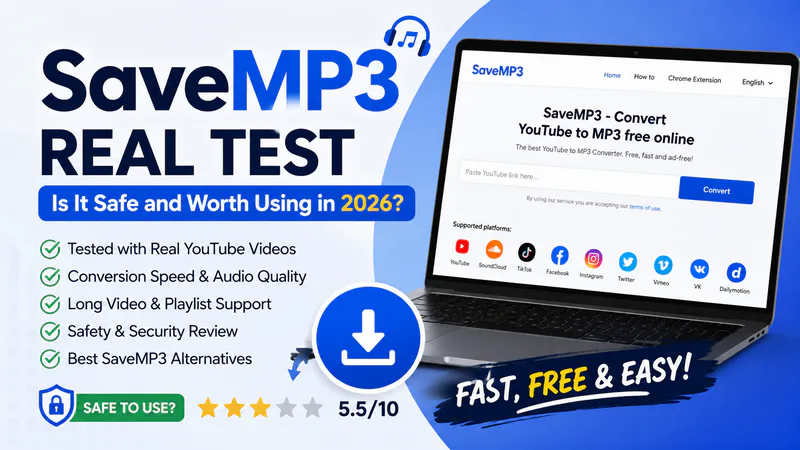
During searches, SaveMP3 is frequently recommended as a tool for directly converting YouTube videos to MP3 online. However, most users share several common questions: Is SaveMP3 downloader safe? Does it support downloading long videos or playlists? Is SaveMP3 worth using? Are there more stable SaveMP3 alternatives?
To answer these questions, I tested the savemp3.net and the SaveMP3 Chrome extension, including conversion speed, audio quality, website ad coverage, long video support, and overall download experience.
In this article, you'll see real-world test results, pros and cons analysis, security assessment, and SaveMP3 downloader alternatives worth considering in 2026 to help you determine if it's worth using long-term.
- • Quick Answer: Should You Use SaveMP3?
- • Part 1: What Is SaveMP3?
- • Part 2: SaveMP3 Real Test: How Well Does It Work?
- • Part 3: Is SaveMP3 Safe to Use?
- • Part 4: How to Use SaveMP3 Website and Chrome Extension
- • Part 5: Can SaveMP3 Download Long Videos as MP3?
- • Part 6: SaveMP3 vs 5 YouTube to MP3 Alternatives
- • Part 7: FAQs about SaveMP3
Quick Answer: Should You Use SaveMP3?
If you only occasionally convert YouTube videos to MP3 (or other supported website videos to MP3) and don't want to install any software, then SaveMP3 is convenient for you. It's free and requires no registration; simply open the webpage, paste the video link, and you're good to go. It's totally adequate for downloading songs, short videos, or saving short podcasts as MP3.
What I Found After Testing SaveMP3
| Official URL | https://savemp3.net/ |
| Free to Use | ✅ |
| Registration Required | ❌ |
| Supported Websites | YouTube, SoundCloud, TikTok, Vimeo, VK, Facebook, Dailymotion, Instagram, Twitter |
| Output Format | MP3 only |
| MP3 Quality | Up to 128kbps in savemp3.net |
| Long Videos | Limited |
| Playlist Support | ❌ |
| Popup Ads | Less |
| SaveMP3 Chrome Extension | ✅ |
| Safe for Casual Use | Generally Safe |
| Overall Rating | 5.5/10 (Based on Personal Testing) |
However, after my actual testing, I found that SaveMP3 is more suitable for casual users than those who frequently download audio content. For music videos a few minutes long, it usually converts quickly; but when dealing with longer videos, large podcasts, live replays, or entire playlists, its success rate, speed, and stability are far inferior to the desktop program Any Video Converter.
Should You Use SaveMP3?
✅ Download quickly on your mobile phone
✅ Users who do not want to install software
❌ Batch download as MP3
❌ Playlists/channels to MP3
❌ Convert niche website video links to MP3
❌ Stable download process
❌ Long-term downloads
If you want to batch download YouTube playlists/channels as MP3s for free, Any Video Converter is a better choice, offering a stable download process and a success rate of up to 99%, supporting 1000+ media websites.

Part 1: What Is SaveMP3?
As its name suggests, SaveMP3 (savemp3.net) is an online MP3 downloader and YouTube to MP3 converter that allows everyone to directly convert YouTube videos or other online videos into MP3 audio files through their browser, without needing to install additional software or create an account. Simply copy the video link and paste it into the website to start the conversion and download. The entire conversion process can be completed within a webpage, making it easy to use for users who want to quickly extract music, podcasts, or speech audio.
- Convert YouTube videos to MP3 audio
- 9 major websites supported, YouTube, Facebook, SoundCloud, TikTok, Instagram, Twitter, Vimeo, VK, Dailymotion
- Chrome extension support
- Multiple audio quality options (in Chrome extension)
- Cut audio clips from long videos
- Compatible with desktop and mobile browsers
Part 2: SaveMP3 Real Test: How Well Does It Work?
To verify its conversion/download speed, output audio quality, and long video download success rate, I conducted three case tests. These tests include the SaveMP3 Chrome extension.
My Test Environment
- Windows 11
- Chrome 149
- 1000 Mbps Internet
- YouTube videos
- June 16, 2026
Test Case 1: Short Music Video
| Metric | SaveMP3.net Performance | Extension Performance |
| Video Length | 00:04:58 | 00:04:58 |
| URL Parsing Time | ~3 sec | ~4 sec |
| Conversion Time | ~43 sec | ~11 sec |
| Output Size | 4.89 MB | 4.89 MB |
| Audio Quality | 128kbps | 128kbps |
Test Case 2: 1-Hour Podcast
| Metric | SaveMP3.net Performance | Extension Performance |
| Video Length | 1:07:59 | 1:07:59 |
| URL Parsing Time | ~10sec (refreshed once) | ~4 sec |
| Conversion Time | ~1 min 14 sec | ~1 min 20 sec |
| Output Size | 62.6 MB | 62.6 MB |
| Audio Quality | 128kbps | 128kbps |
Test Case 3: 2-Hour Video
| Metric | SaveMP3.net Performance | Extension Performance |
| Video Length | 2:00:00 | 2:00:00 |
| URL Parsing Time | ~25 sec (refreshed three times) | ~4 sec |
| Conversion Time | ⚠️ Download failed | ⚠️ Download failed |
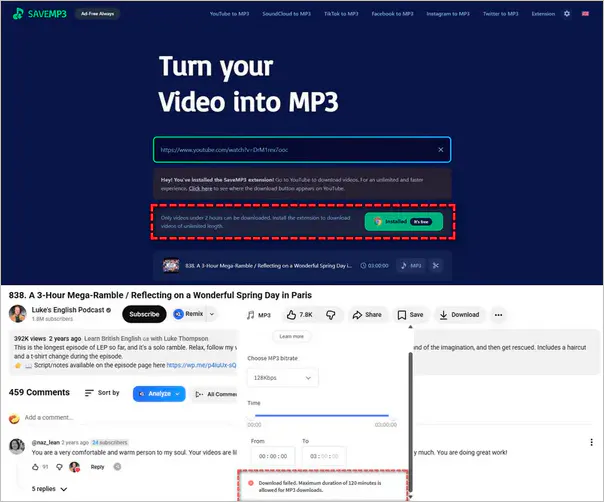
After testing with three different YouTube video cases, I found that the conversion capabilities of the SaveMP3 website and its Chrome extension are basically the same, with no significant difference in the final output MP3 file size and audio quality. The biggest difference is that the SaveMP3 Chrome extension offers audio quality options up to 320 kbps, while the webpage defaults to 128kbps audio quality.
However, this is all based on the information displayed in the documents, and it is difficult to determine the actual sound quality. But my ears cannot hear any difference, at least there is no strange noise.
- The SaveMP3 Chrome extension was generally faster.
- The website occasionally required refreshing.
- Both versions failed to process a 2-hour YouTube video.
- Audio quality was acceptable but lower than premium converters.
Part 3: Is SaveMP3 Safe to Use?
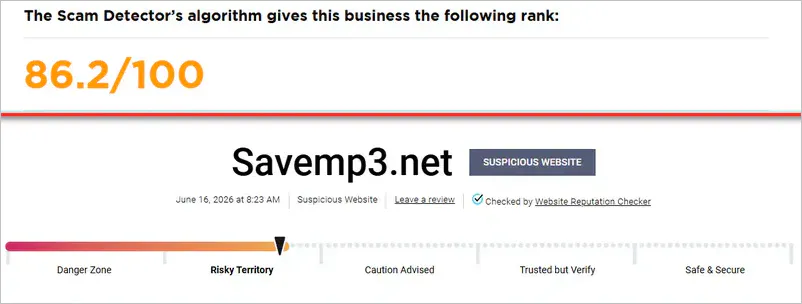
The SaveMP3 website states "Ad-Free Always". During my tests on savemp3.net and SaveMP3 Chrome extension, I indeed did not receive any pop-up ads or fake buttons on the website. The download process made me feel relatively safe. However, Scam Detector and Gridinsoft gave drastically different ratings; one detected the website as safe, while the other detected it as risky.
My suggestion is that if you want a smooth, ad-free download process, you can temporarily use savemp3.net. If you need an absolutely safe download process, then please use official desktop software like Any Video Converter.
✅ No forced installation
✅ No fake download buttons
✅ HTTPS enabled
⚠️ Download availability may change
Part 4: How to Use SaveMP3 Website and Chrome Extension
If you insist on using SaveMP3, you can refer to the following tutorials for the website and Chrome extension.
Method 1: How to Download YouTube Video as MP3 in Savemp3.net
Step 1: Open YouTube and copy the URL of the video you want to convert. Then paste it into the savemp3.net's search box.
Step 2: Click the "Parse Link" button to analyze the video and prepare the MP3 download file.
Step 3: Once the conversion is ready, the MP3 file will be automatically saved in your local device.
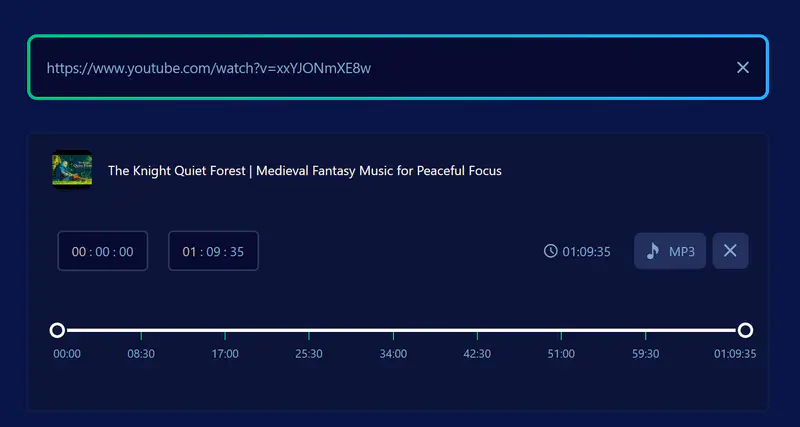
P.S. If the button doesn't work, try clicking it a few more times or refreshing the page.
Method 2: How to Download YouTube Video as MP3 Using the SaveMP3 Chrome Extension
Step 1: Install the Chrome extension and then navigate to the YouTube video you want to convert.
Step 2: There will be an MP3 icon next to the video like button. That's the logo for the SaveMP3 Chrome extension; click it.
Step 3: Select the available audio quality (64kbps - 320kbps) and save the MP3 file to your device.
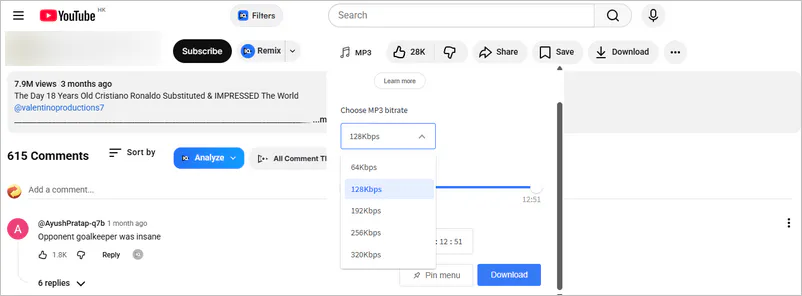
P.S. Based on my testing, the website works best with short videos and podcasts under two hours. Very long videos may fail to process. See the next section for more details.
Part 5: Can SaveMP3 Download Long Videos as MP3?
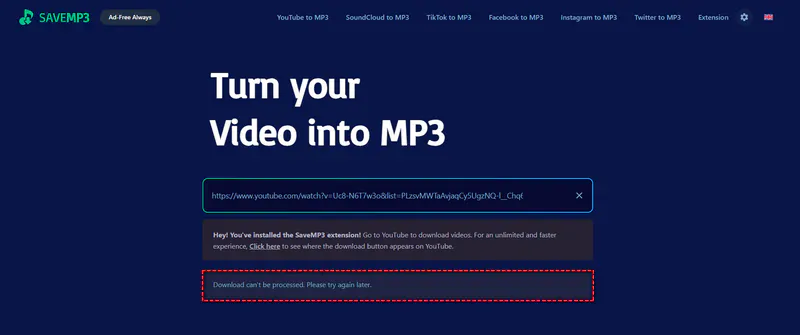
Neither savemp3.net nor its Chrome extension can download videos longer than 2 hours. In my third test case, when I tried to download a 2-hour YouTube video as MP3, SaveMP3 showed that it could not be downloaded.
It's also worth noting that in my second test case, although I successfully downloaded a 1-hour YouTube video as MP3, please note that I refreshed the page once for the download to succeed. This is because I received a "Download can't be processed" error when I first tried to parse the video. Based on this finding, I tested different videos (10 minutes - 2 hours) and discovered that sometimes clicking the "Parse Link" button on the website gets no response; try refreshing the page and parsing the URL again to proceed to the next step.
|
|
In fact, don't expect to download long videos using online downloaders like SaveMP3 because their servers can hardly handle such large volumes of long videos. Instead, desktop programs like Any Video Converter are better able to handle such large batches of long videos. So, the next section will specifically list 5 SaveMP3 alternatives, including online MP3 downloaders, which undeniably offer convenience.
Part 6: SaveMP3 vs 5 YouTube to MP3 Alternatives
If you are looking for a more powerful SaveMP3 downloader, the following alternatives are worth considering.
| Tool | Playlist | Batch Download | Ads | Title |
| Any Video Converter | ✔️ | ✔️ | Clean | Powerful desktop solution |
| OGMP3 | ❌ | ❌ | Redirect Page | The simplest online solution |
| MP3COW | ❌ | ❌ | Redirect Page | Audio quality-first solution |
| Downr | ❌ | ❌ | Few | Multi-platform support solution |
| AMP3 | ✔️ | ❌ | Ads on Page | Playlist and long-audio solution |
6.1. Any Video Converter
Any Video Converter is a desktop tool that integrates video downloading, audio extraction, format conversion, and media editing. Why is it better than SaveMP3? In our tests, we found that SaveMP3 has significant limitations when processing videos longer than 2 hours, while Any Video Converter is much better at handling 2-hour (and even 10-hour) long videos, podcasts, 8K/HDR videos, and large playlists. Most importantly, it offers professional-level batch/playlist downloading, support for YouTube and 1000+ websites & formats, subtitle downloading, and a download process with up to 99% success rate and no ads.
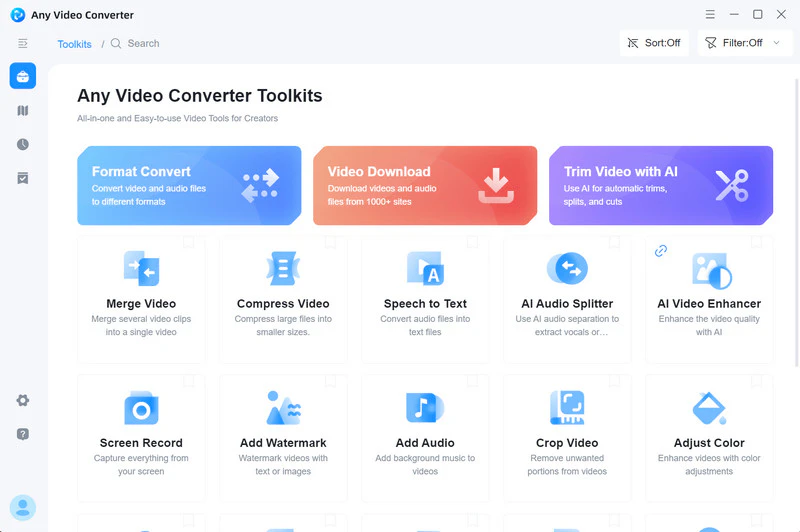
Step 1 Open the 'Video Download' tool within the software and locate the built-in browser.
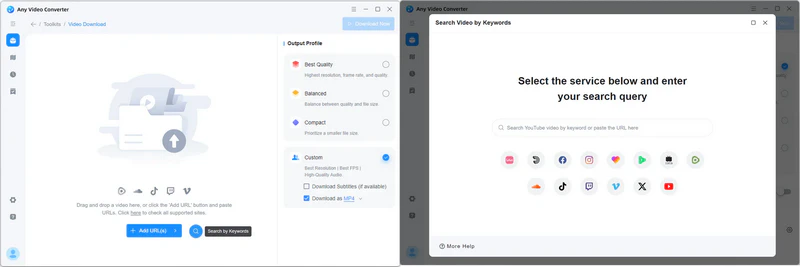
Step 2 Open the software's built-in YouTube browser, play any video you want to download, and then click "Add to Parsing List".
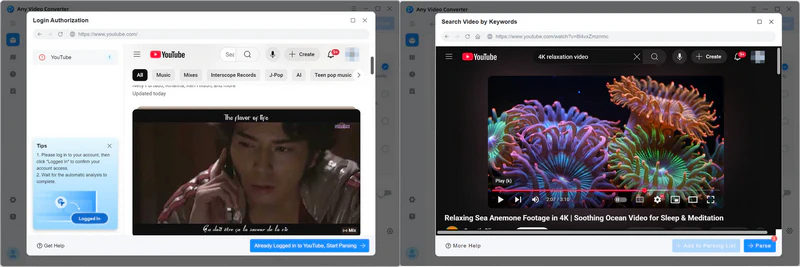
Step 3 After adding all the video links you want to download, click "Parse Now" to start parsing the videos. Once the video parsing is complete, select MP3 in "Custom". You can also adjust the audio quality as needed.

Step 4 Click the "Download Now" button, and the software will download the video and automatically extract the audio.

|
|
6.2. OGMP3
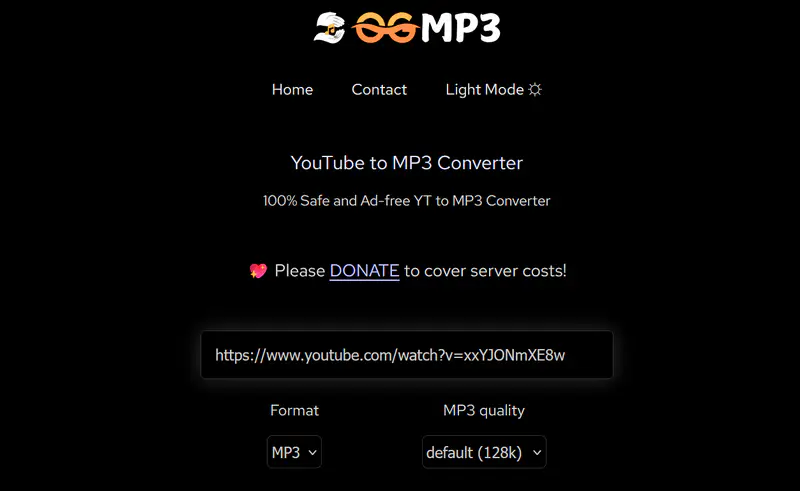
OGMP3 can convert 2+ hours YouTube videos to MP3, but it may take 5+ minutes to process the YouTube to MP3 download. You can also choose bitrates from 64 kbps to 320 kbps on the website. Similar to SaveMP3, OGMP3 requires no software installation or account registration; the entire conversion process can be completed within a browser.
|
|
6.3. MP3COW
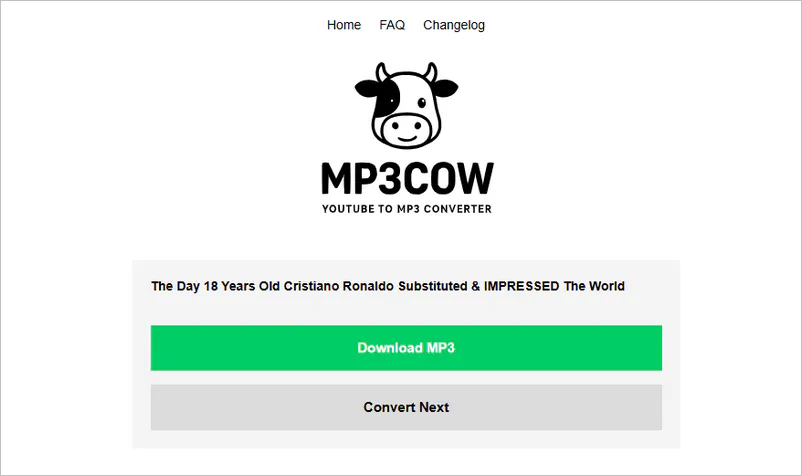
MP3COW focuses more on providing premium audio conversion for YouTube. It can serve as a high-quality audio alternative to SaveMP3. However, it supports videos up to 90 minutes in length. If your primary use is saving music and podcasts, and you don't need advanced download and editing features, then MP3COW offers a simple and straightforward solution.
|
|
6.4. Downr
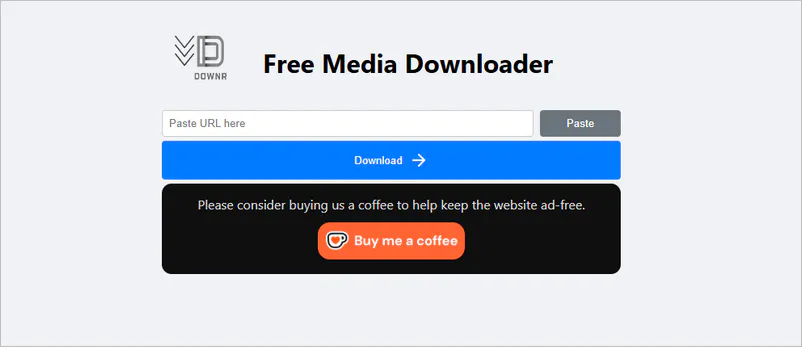
The two online tools mentioned above can only handle YouTube URLs, while Downr can extract videos or audio tracks from both YouTube and non-YouTube websites. It supports a wider range of websites than SaveMP3, including Pinterest, Reddit, and Snapchat.
|
|
6.5. AMP3
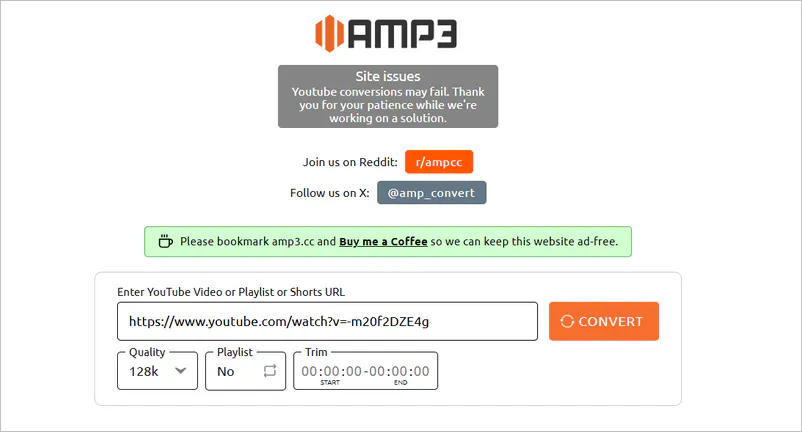
If you want to download YouTube playlists as MP3s online, then AMP3 makes up for this limitation of SaveMP3. It not only enables batch packaging of playlists, but also offers audio quality options from 64kbps to 320kbps, supporting playlists up to 4 hours long. These downloads and conversions are all free.
|
|
 Discover More YouTube to MP3 Converters >>
Part 7: FAQs about SaveMP3
Q1: Can SaveMP3 download long YouTube videos?
A: SaveMP3 can download long videos with duration limits. In our tests, 1-hour videos could be successfully converted to MP3, while videos longer than 2 hours could not be downloaded.
Q2: Can SaveMP3 download playlists?
A: Currently, SaveMP3 does not support downloading entire YouTube playlists. You will need to copy the video links one by one and convert them individually. If you frequently download music collections, course series, or large playlists, you can choose SaveMP3 alternatives, such as Any Video Converter or AMP3.
Q3: What's the best SaveMP3 alternative?
A: It depends on your needs. For occasional MP3 downloads, OGMP3, MP3COW, or AMP3 are all good online alternatives. If you need to download long videos, playlists, or batch convert multiple files, then Any Video Converter is a feature-rich and stable choice.
- Any Video Converter: Powerful desktop alternative
- OGMP3: The simplest online alternative
- MP3COW: Audio quality-first alternative
- Downr: Multi-platform support alternative
- AMP3: Playlist and long-audio alternative
Q4: How to get rid of popup from SaveMP3?
A: The SaveMP3 official website has relatively few ads. If you want to avoid ads completely, it is recommended to use your browser's built-in pop-up blocker or install a reliable ad-blocking extension.
Q5: Does SaveMP3 have an Android app?
A: No. As of this writing, SaveMP3 primarily offers its services through a webpage and a Chrome extension. It does not provide an official Android application. Android users can directly access the SaveMP3 website and download MP3s via mobile browser.
Q6: How to trim the audio length on the SaveMP3 website?
A: The SaveMP3 website has a trimming feature; the specific steps are as follows:
- Step 1: Paste the link and wait for it to be successfully parsed.
- Step 2: There's a scissors icon next to the MP3 button. Clicking it allows you to enter the start and end times of the audio file.
- Step 3: Finally, click the MP3 button to output the file.
Q7: What audio quality can be downloaded with SaveMP3?
A: According to our tests, MP3 files downloaded from the savemp3.net have an audio quality of ≤128 kbps. In actual listening tests, music and podcast content maintained good playback quality, meeting everyday listening needs. However, for users seeking higher audio quality, we recommend choosing an alternative like Any Video Converter that supports higher bitrate output.
Final Thoughts
As of the testing date, SaveMP3 is still available as an occasional audio extractor for music, podcasts, or short videos. However, the test results also revealed some noticeable limitations regarding video length, playlists, and download interruptions. If your needs have expanded beyond simple MP3 conversion to include long video/playlist downloads, batch processing, and audio editing, then desktop tools like Any Video Converter offer a more stable and flexible solution.
Ultimately, no single tool is universally suitable for all users. For simple extraction, SaveMP3 is still a convenient and free option; while for users requiring higher efficiency and more features, it's worth considering SaveMP3 downloader alternatives based on specific needs.


Besty Smith | Content Writer
Besty Smith is a talented and insightful content creator with a keen interest and passion for software programs. She focuses on in-depth research and hands-on experience with various types of software, providing readers with in-depth and inspiring content through precise writing. With her keen insight into the software industry, Besty is committed to helping readers keep abreast of the latest industry trends so that they can stay competitive in the digital age.