Quick Answer: What Is the Best Cobalt.tools Alternative?
Before diving into the details, here is a quick overview to help you find the suitable cobalt.tools alternative based on your specific needs. You can refer to the comparison table below:
| Need |
Best Alternative |
Why It's Recommended |
| ✅ Best Overall Alternative |
Any Video Converter |
Stable performance, supports 4K MP4/MP3 and batch downloads |
| ✅ Best Free Online Tool |
Loader.to |
No installation required, simple and fast web-based downloader |
| ✅ Best for 4K quality |
4K Video Downloader+ |
Excellent support for high-resolution video and playlists |
| ✅ Best for Advanced Users |
yt-dlp |
Open-source, highly customizable, supports almost all websites |
| ✅ Best for Batch Downloads |
JDownloader |
Powerful batch processing and automatic link capture |
| ✅ Best for MP3 Extraction |
CnvMP3 |
Fast and lightweight audio extraction tool |
| ✅ Best for DRM-protected |
Vidicable |
Record and save DRM-protected videos |
| ✅ Best Simple Web Tool |
Downr |
Quick paste-and-download workflow for basic use cases |
 10 Best Video Grabbers Like Cobalt.tools >>
Part 1: Is Cobalt.tools Still Working in 2026?
While browsing the cobalt.tools community on Reddit, most of the feedback wasn't about the website being inaccessible, but rather these more troublesome download failure issues, which occur almost every month.
| Platform |
Common Issue |
User Experience |
Status: June 2026 |
| YouTube |
Download failure / parsing error |
Video link cannot be processed |
Not supported |
| SoundCloud |
Download failed / only in MP3 128 kbps |
Soundcloud doesn't download in OPUS (lossy high res) anymore |
Unstable |
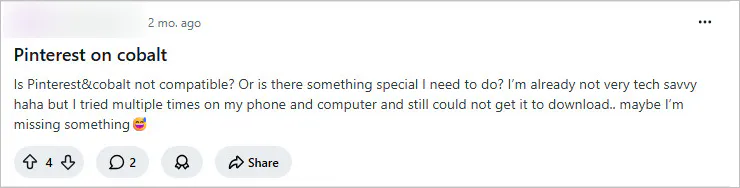
| Pinterest |
The Pinterest module returned an error |
Can not get it to download |
Unstable |
| Mixed websites |
Instance instability |
The same link works today but fails later |
Unstable |
The information in the table above comes from common issue reports in the Reddit cobalt.tools community.
P.S. To verify these issues, I also conducted actual tests on https://cobalt.tools/ on June 24, 2026.
1. YouTube Download Failures
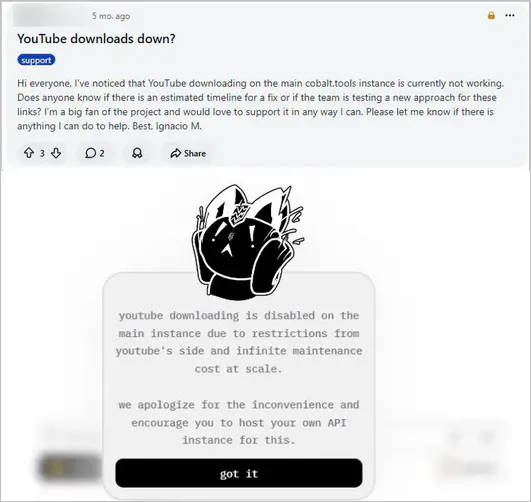
This is one of the most common issues reported by users. In February 2026, a user reported in the community that the main instance was no longer able to download YouTube videos properly and asked if there was a timeline for a fix. Now, in June 2026, when I re-pasted the YouTube link on the cobalt.tools website, I received the message: "YouTube downloading is disabled on the main instance due to restrictions from YouTube's side and infinite maintenance cost at scale".
✒️ Conclusion: Cobalt.tools (official instance) is no longer working for YouTube downloads.
2. Unstable SoundCloud downloads
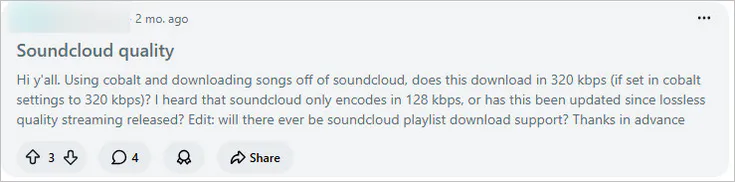
In April 2026, users in the community discussed the increasing frequency of failures when downloading SoundCloud audio. Additionally, it now only allows downloading in MP3 128 kbps, not AAC 256 kbps. In June 2026, I successfully downloaded SoundCloud audio using the cobalt.tools website; the issue might have been fixed. However, it is also possible that the frequent download failures are due to SoundCloud recently adding DRM protection to many songs.
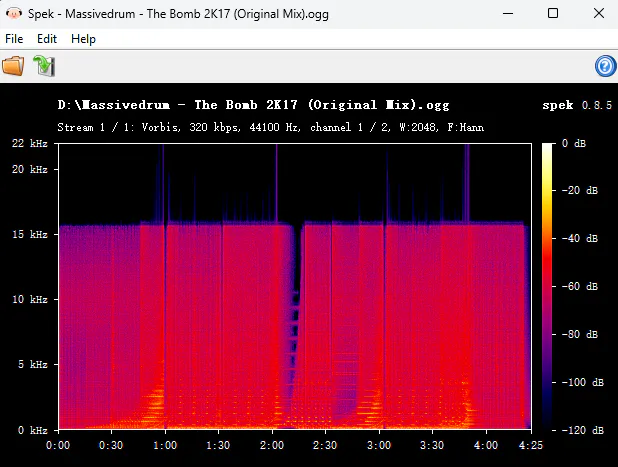
Regarding sound quality, I downloaded the same song in MP3, OGG, and OPUS formats and imported the files into Spek to analyze their spectrograms; I found that they were all 15 kHz - 16 kHz, rather than true lossless 20 kHz.
✒️ Conclusion: It can download DRM-free SoundCloud songs, but it does not provide lossless audio quality.
3. Incompatible with Pinterest
Back in April 2026, users reported being unable to download Pinterest videos on either computers or mobile phones. Now, in June 2026, I have successfully downloaded a Pinterest video on my computer using cobalt.tools, though I'm not sure if it might fail next time.
✒️ Conclusion: The download process is extremely unstable; a download might succeed one month but fail the next.
Today (as of June 2026), Cobalt.tools has not completely stopped working. However, it is certain that the download is unstable. This is also why more and more users are starting to look for more stable alternatives to cobalt.tools.
Part 2: What Is a Safe and Trustworthy Instance of Cobalt.tools
Did you know that Cobalt has both official instances (cobalt.tools) and community instances (cobalt.meowing.de and more)? These various websites are all based on the same Cobalt download system, used to parse and download online video or audio content. You can visit cobalt.directory to check the latest instances.
Cobalt.tools VS Cobalt.meowing.de: What's the Difference
| Feature |
Cobalt.tools |
Cobalt.meowing.de |
| Type |
Official instance |
Community instance |
| Maintained By |
Cobalt team |
Independent community maintainer |
| YouTube Download |
❌ |
✅ |
| Recommended For |
Non-YouTube downloads |
Backup access option |
Cobalt.tools is the official website, whereas cobalt.meowing.de is not. Another major difference is that cobalt.tools does not support YouTube downloads, while cobalt.meowing.de successfully downloads content from YouTube (verified through testing). You need to note that the maximum YouTube video duration is 120 minutes.
Is Cobalt.meowing.de Safe?
Although cobalt.meowing.de is not an official site, it is widely considered a safe option to download files. While browsing the Reddit community for cobalt.tools, I noticed that many users also turn to this site as a workaround when they encounter temporary download failures. In my own experience using it, I haven't encountered any ads or malicious pop-ups.
P.S. For absolute safety, Any Video Converter, Vidicable, yt-dlp, and JDownloader 2 are the recommended top cobalt.tools alternatives.
Part 3: 2026 Top 8 Stable Cobalt.tools Alternatives
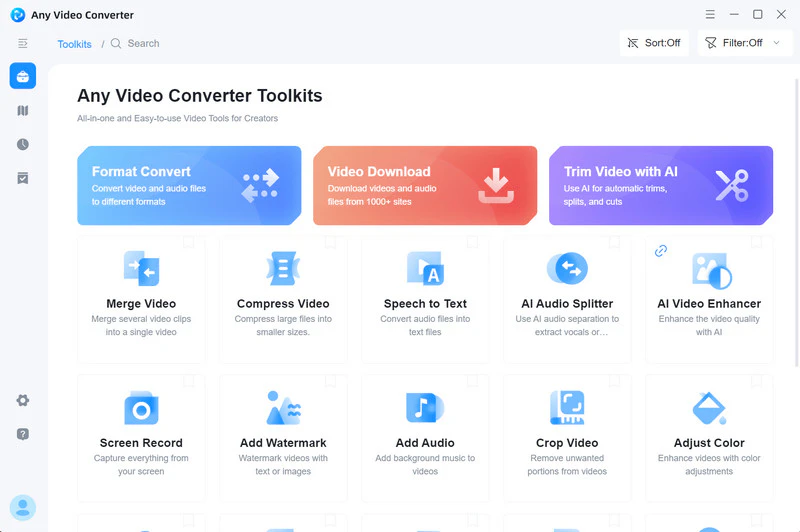
Unlike cobalt.tools, which relies on web parsing, Any Video Converter operates locally and utilizes a dedicated download engine. This ensures a more stable and reliable downloading process with a 99% success rate when handling YouTube 4K/8K/HDR videos and converting formats to MP4, MKV, M4A, MP3, WAV, and more. The downloaded files you get are high-quality with minimal compression loss; whether you're extracting YouTube Music or SoundCloud audio, you'll get high-quality audio close to 20kHz.
Any Video Converter offers an end-to-end workflow: video downloading (including batch downloads), audio extraction, format conversion, and audio/video editing (with AI support).
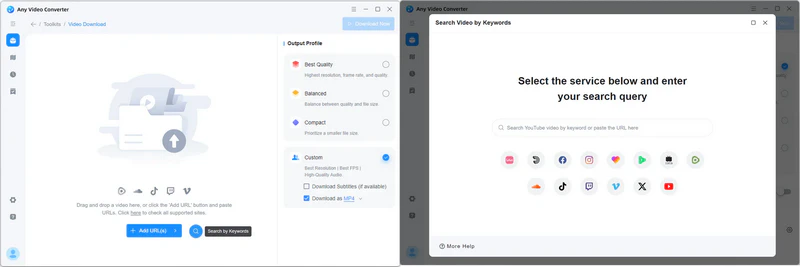
Step 1 Open Any Video Converter and click "Video Download" on the main interface. Enter the built-in YouTube browser.
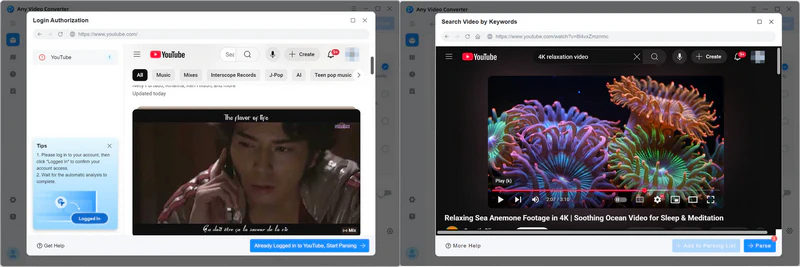
Step 2 Log into your YouTube account, navigate to the video you want to download, and click "Parse Now" to start parsing the video.
Step 3 Select the high-quality resolution (up to 8K/HDR quality) or bitrate (up to 320 kbps) you wish to download from the video or audio tracks. Alternatively, choose MP4, MP3, or other formats from the Output Profile.
Step 4 Click "Download Now" and confirm the file output path to start downloading the video.
✔️ Seamless workflow from downloading to post-editing
✔️ Batch parsing and downloading 500+ video URLs
✔️ Unlimited best-quality downloads from 1000+ websites
✔️ Add, extract, or remove audio tracks and subtitles
✔️ Built-in browser achieves up to a 99% download success
✔️ Stable updates and program performance optimizations
|
|
❌ Installation program required
❌ Only Windows and Mac version
|
|
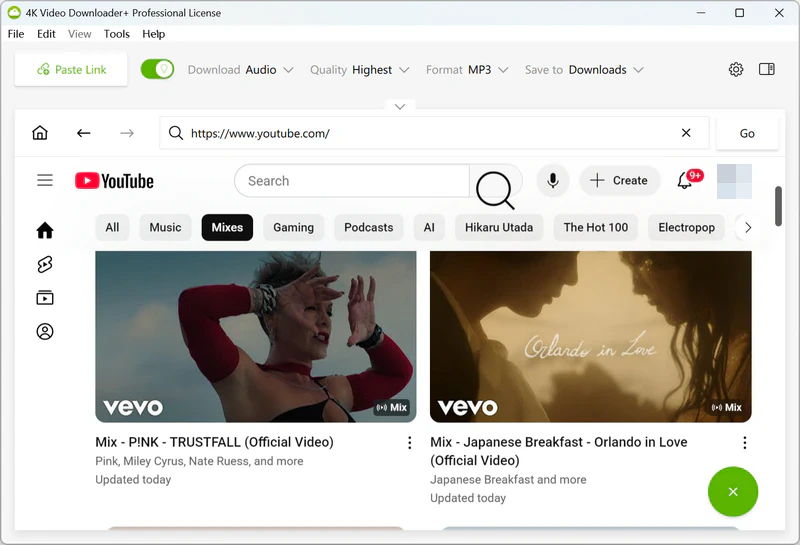
True to its name, 4K Video Downloader+ enables the downloading of 4K, 8K, and VR videos, as well as audio and playlists. The "Subscriptions" feature particularly caught my eye; enabling it allows for the automatic downloading of new videos from subscribed YouTube channels. However, this is a premium feature, and free accounts are limited to downloading 10 videos per day.
✔️ 4K, 8K, VR YouTube videos download
✔️ Download real 256 kbps YouTube audio
✔️ Dedicated download buttons for YouTube's "Watch Later" and "Liked Videos"
|
|
❌ No Instagram Reels download
❌ Free usage limit (10 downloads daily)
❌ Approximately five download formats (video + audio)
|
|
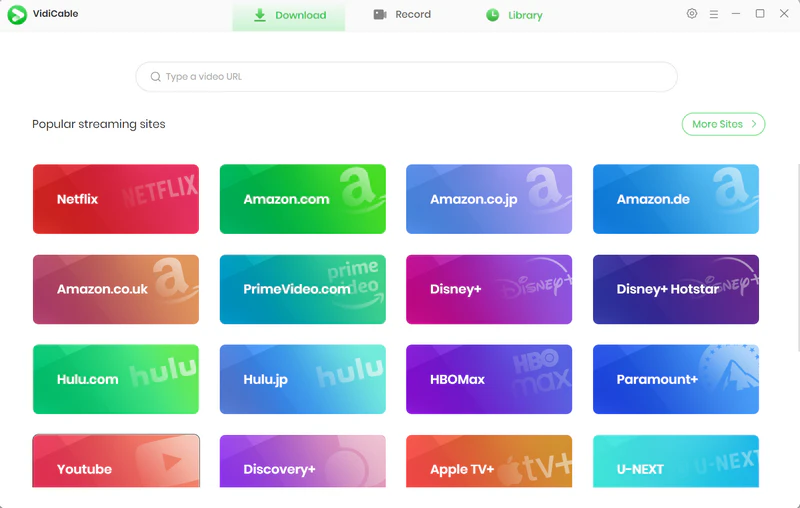
Vidicable is particularly well-suited for saving and recording streaming content from platforms like Netflix, Disney+, and Amazon Prime Video. I also tested it with sites such as YouTube, Facebook, and Instagram, and it successfully downloaded content from them as well. Furthermore, for DRM-protected content, you can use the built-in screen recording tool to capture and save the video, ensuring good visual quality.
✔️ Download multilingual subtitles/dubbing
✔️ Unlimited free downloads from YouTube
✔️ Stable download with built-in browser
|
|
❌ No other video editing tools
❌ Slow program updates
❌ No YouTube Movies & TV downloads
|
|
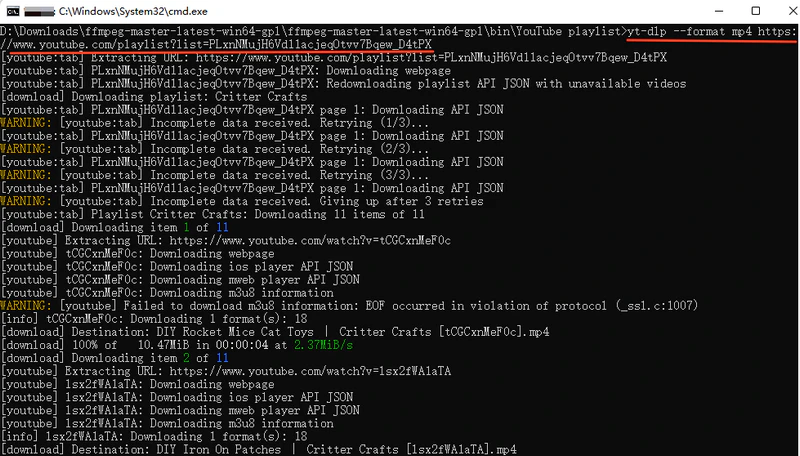
For technical users, yt-dlp is the cobalt.tools alternative that offers the greatest control over the downloading process. Rather than a simple download website, it is an open-source, command-line-based tool to control various aspects of the download, such as video format, audio extraction, video resolution, and the downloading of subtitles and metadata.
✔️ Unlimited website download support
✔️ Long-term maintenance
✔️ Higher download success rate than cobalt.tools
|
|
❌ Requires CLI, high learning curve
❌ Not suitable for tech novices
|
|
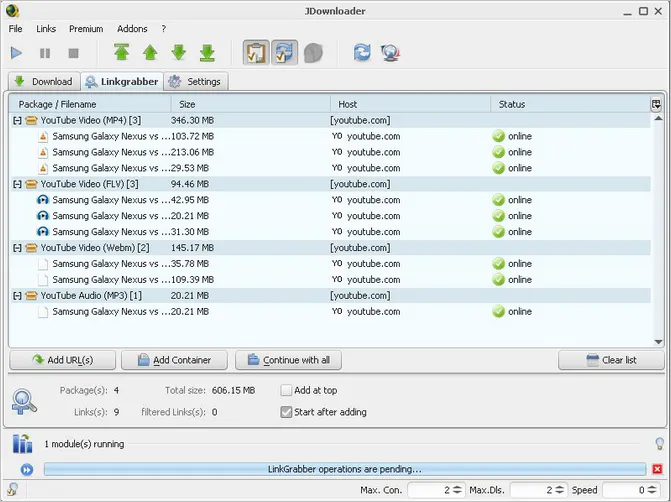
JDownloader 2 serves as a Cobalt.tools alternative for batch downloading and automated content grabbing. It automatically detects all downloadable files (images, videos, and audio) on a webpage, enabling the batch import of multiple links and simultaneous downloads. This makes it a highly convenient solution for users who need to collect large amounts of media.
✔️ Automatically grab web resources
✔️ Download videos simultaneously in batches
✔️ Improve download efficiency
|
|
❌ Not beginner-friendly
❌ Different websites require different plugins
❌ Download settings are complex
|
|
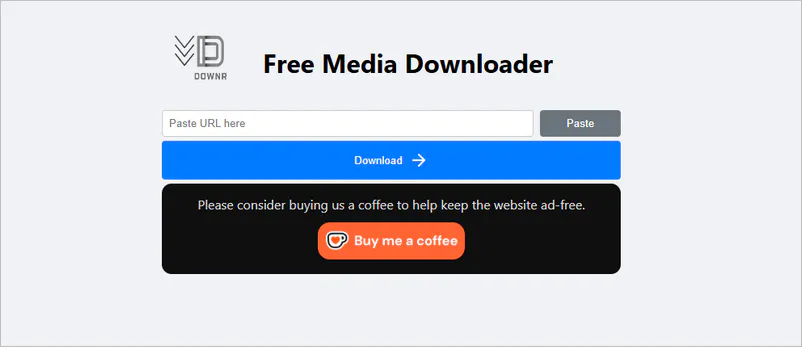
Downr is a browser-based online media downloader designed for a quick "paste-and-download" experience. You can download video or audio files from platforms like YouTube, TikTok, Instagram, Facebook, and Twitter without needing to register or install any software. Like cobalt.tools, it works on both desktop and mobile devices.
✔️ Download long videos (> 4 hours)
✔️ No installation required
✔️ Fewer ads
|
|
❌ No batch download
❌ No playlist download
❌ Low-quality output (MP4 360P)
|
|
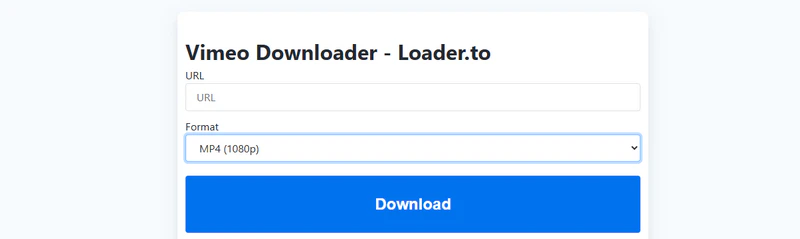
Loader.to allows you to download YouTube videos online in up to MP4 1440P and WebM 4K. Based on my personal experience, it is ideal for creating a high-quality offline library (such as educational videos or dance tutorials) because the output video quality is crisp and clear.
✔️ User-friendly download process
✔️ High-quality output
✔️ Provide 8 audio formats
|
|
❌ Limited 6 websites support
❌ Slow HD video parsing speed
❌ No playlist and batch download
❌ Annoying Redirect ads
|
|
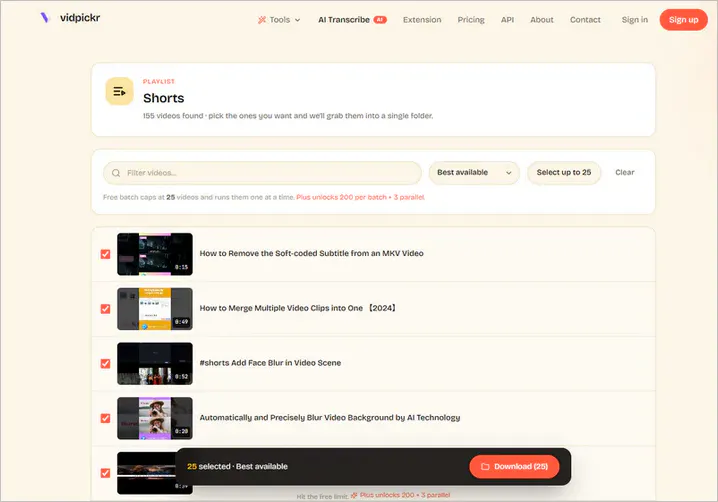
Very few online downloaders support batch downloading, but VidPickr does. It supports downloading YouTube playlists and channels in the highest quality and saving files in MP4/M4A/MP3 format. And there's even more; it also features a YouTube thumbnail downloader, a subtitle downloader, and a SoundCloud downloader.
✔️ YouTube shorts/playlists/channels download
✔️ Multi-site downloaders
✔️ No redirects and pop-up ads
|
|
❌ No customization options
❌ Separate website download tools
|
|
Discover More YouTube to MP3 Converters >>
Part 4: Why You Need Cobalt.tools Alternatives for Stable Downloads
To avoid a situation where cobalt.tools suddenly fails to download, it is well worth bookmarking these working downloaders. Someday in the future, they may be used as reliable backup options.
In more detail, the eight cobalt.tools alternatives tested in this article mainly address the following issues, and that's why you need them.
- There is no doubt that desktop applications like Any Video Converter and open-source tools like yt-dlp consistently offer more stable performance than online downloaders. They are essential options for long-term downloading.
- I previously mentioned that the official cobalt.tools site no longer supports YouTube downloads. However, the eight alternatives to cobalt.tools can download YouTube videos, and some even support 1000+ websites, which is much more than cobalt.tools supports.
- To avoid the repetitive task of pasting links one by one and improve download efficiency.
Part 5: What Makes a Good Cobalt.tools Alternative (Free + Safe + Stable)
An excellent alternative to cobalt.tools typically needs to feature:
| Evaluation Criteria |
Why It Matters |
| Download Reliability |
Reduce download failures and parsing errors |
| Video Quality Options |
Compatible with 2K, 4K, 8K, MP4, MP3, and more |
| Platform Support |
Cover more websites and media sources |
| Safety & Trust |
Reduce security and privacy risks |
| Batch Processing |
Improve download efficiency |
| Workflow Features |
One-stop completion of raw material to final output |
In testing, Any Video Converter truly delivers on this front. It offers a video trimmer, video merger, vocal remover, subtitle transcription, and DVD burner that allow you to trim clips, extract background music, and add subtitles, making videos accessible even to the hearing impaired. Whereas the others are merely single-purpose download or conversion tools that lack editing features.
Part 6: FAQs about Cobalt.tools Alternative
Why don't cobalt.tools work anymore?
Cobalt.tools is not completely unusable. It is just that video parsing is sometimes unstable or downloads fail. Currently, the YouTube content cannot be downloaded, while downloads from other sites may experience issues and require a fix from the team.
Is Cobalt being phased out?
No. Cobalt.tools is currently still being maintained, but its stability is significantly affected by external platforms.
What is the best cobalt.tools alternative for YouTube downloads?
There is no single "best" alternative; you can use the appropriate tool based on your specific needs.
- Any Video Converter: Suitable for all-in-one YouTube downloading, converting, and editing
- 4K Video Downloader+: Ideal for high-quality 4K/8K/VR YouTube downloads
- yt-dlp: For advanced computer users
- JDownloader 2: For batch downloading and YouTube web grabbing
- Downr, Loader to, and VidPickr: Simple and fast online downloading
Is cobalt.meowing.de safe?
Although this domain is an unofficial link, many users in the Reddit community have reported that it is safe. You can try it, but I do not recommend using it as a long-term downloader.
Does cobalt.tools download YouTube videos in 4K?
No. Cobalt.tools cannot download any content from YouTube, let alone in 4K quality.
Why do cobalt.tools not work for YouTube?
The Cobalt team responded that the YouTube download feature has been disabled due to restrictions imposed by YouTube and the maintenance costs associated with large-scale operations.
Which cobalt.tools alternatives can successfully download SoundCloud now?
Any Video Converter can successfully download SoundCloud tracks and output lossless audio quality.
- Step 1: Open the built-in SoundCloud browser within the Video Download tool.
- Step 2: Log in to your account and play the track you want to download.
- Step 3: Download in WAV or FLAC to preserve audio quality to the greatest extent.
Final Thoughts
Given the frequent download failures, unstable parsing, and lack of YouTube support, I recommend keeping this list of cobalt.tools alternatives handy.
What you really need is a reliable, long-term solution that supports high-quality downloads and covers the entire workflow. All things considered, Any Video Converter remains the top recommendation in this article as an alternative to cobalt.tools. It not only enables you to download 4K/8K MP4, MKV, or high-quality MP3 files but also handles subsequent tasks like format conversion, audio extraction, subtitle processing, and AI video enhancement, eliminating the need to switch between multiple tools.
If you have found your way here due to the instability of cobalt.tools, I hope this article helps you discover the desired alternative for your needs.

Besty Smith | Content Writer
Besty Smith is a talented and insightful content creator with a keen interest and
passion for software programs. She focuses on in-depth research and hands-on experience with various
types of software, providing readers with in-depth and inspiring content through precise writing. With
her keen insight into the software industry, Besty is committed to helping readers keep abreast of the
latest industry trends so that they can stay competitive in the digital age.