
[V9.1.6 Major Upgrade] Unlock AI Generators in Any Video Converter
January 23, 2026,an unprecedented major update! Any Video Converter V9.1.6 has finally released its AI image generator and AI video generator.
This release marks a significant step forward for Anvsoft Inc. in advancing the functionality of traditional converter software. Moving beyond simply converting media files to offering a variety of AI tools, Any Video Converter now provides users with a more advanced and professional AI image/video generator. Follow this press release to unlock more details about the AI image generator and AI video generator in Any Video Converter V9.1.6!
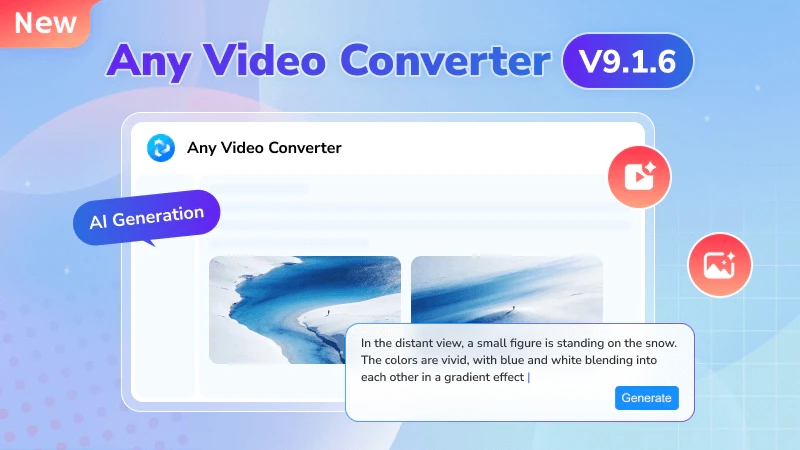
Upgrade 1 | AI Image Generator: Bring Your Ideas to Life
Based on a advanced generative model, Any Video Converter AI Image Generator allows you to create images using text prompts or image input. By adjusting the resolution, aspect ratio, and other parameters, the details, composition, and randomness of the generated image can be controlled.
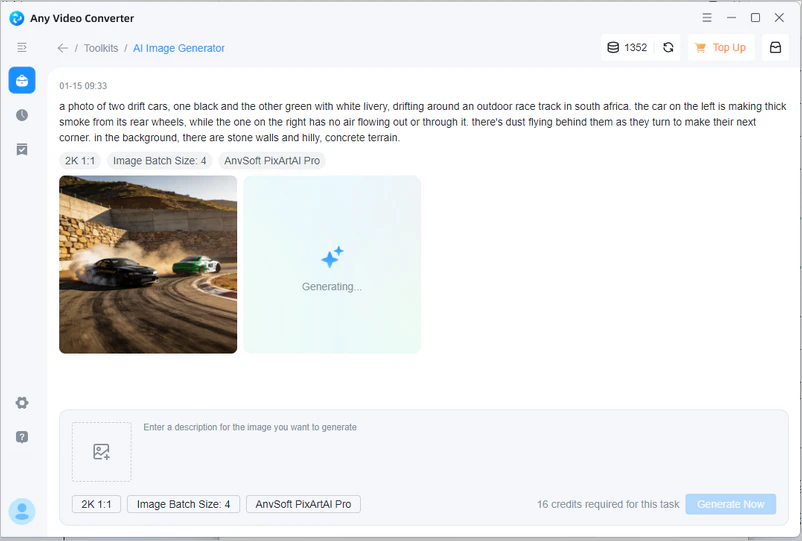
1. Text to Image: Enter Prompts to Get Portraits, Illustrations, Artworks, and More
- It can quickly transform abstract textual concepts, story descriptions, or product ideas into visual images, generating artworks, design drawings, and sketches in different styles.
- Get rid of manually searching for image resources and getting the final result. Simply enter text prompts, and Any Video Converter text to image generator can generate eye-catching custom images for articles, blogs, and advertisements, quickly creating drafts or inspiration images for logos, posters, and promotional materials.
- No need to master complex graphic design techniques or professional software like Photoshop or Adobe Illustrator. Any Video Converter offers you a simple, fast, and high-quality experience. Generate personalized avatars and wallpapers, bringing your ideal characters and scenes to life.
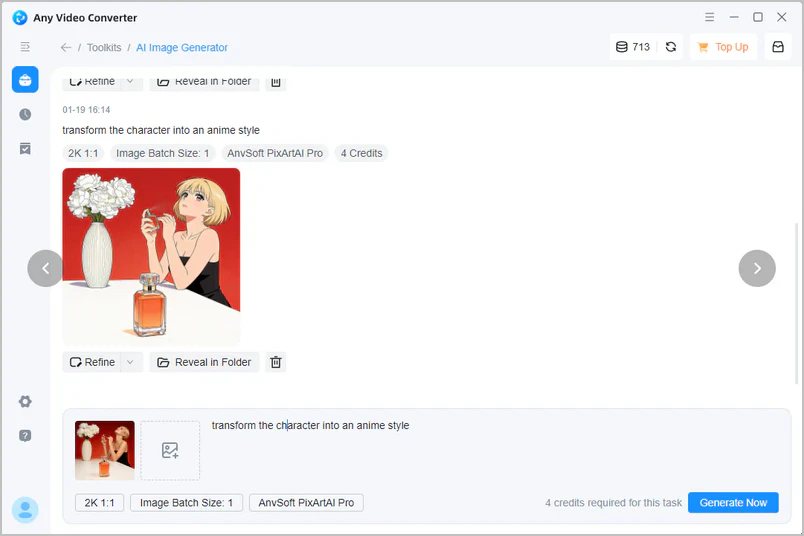
2. Image to Image: Generate A New Image Based on the Provided Image
- Transform provided photos into a specific artistic style or add realistic colors to old black and white photos.
- You can replace or modify specific elements in an image (change clothing, background, hairstyle, etc.) or generate a broader background or extended image based on the original image.
- The current trend is to transform selfies/group photos into cartoonish or funny effects. These entertaining effects can be achieved using Any Video Converter image to image generator. Worth a try!
Upgrade 2 | AI Video Generator: Turn Story into a Dynamic Video
You've probably seen many highly rated AI-generated animated/realistic short videos on TikTok, Instagram, and YouTube. Now you have the opportunity to create similar works. No professional editing skills are required; high-quality videos can be generated using descriptions or image samples, making them suitable for social media creators, marketers, and more.
1. Text to Video: Transform Text into Dynamic Videos, Educational Short Films...
- Generate up to 1080P videos from 2 to 12 seconds with smooth frame rates. Characters and scenes are realistic, and the visuals are natural and fluid.
- Generate videos with different styles (tech, heartwarming, sporty, cute) by inputting different text and style keywords. You can freely share them on TikTok, Instagram, YouTube, and other platforms to garner millions of likes.
- Create your own copyright-free content. If you're still struggling to find high-quality video footage and frustrated by videos that require paying copyright fees, then use AI to create your own video footage.
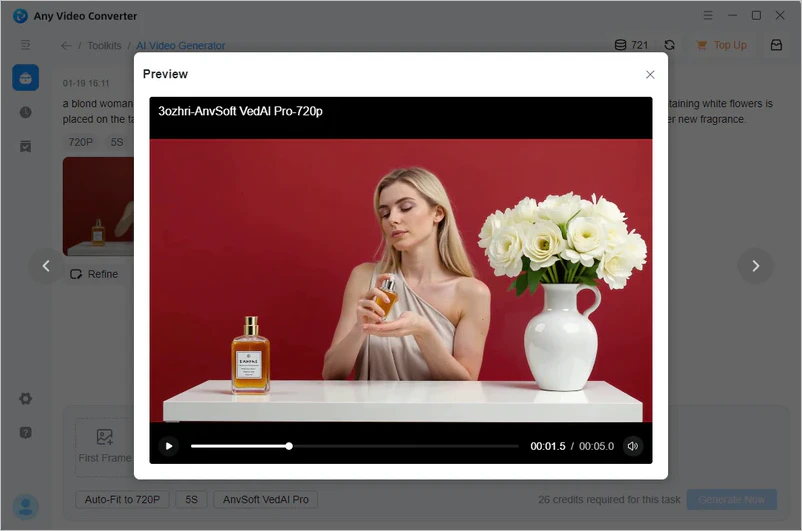
2. Image to Video: From Staticto Dynamic, Imagine Even More Possibilities
- Bring your family photos and commemorative pictures to life, creating memory videos you desire.
- Achieve stylistic transformation. Using AI, convert images into different art styles (cartoon, oil painting, science fiction), and then generate videos.
- Designers and artists transform static paintings and design drafts into dynamic visual works, anticipating their dynamic effects in advance.
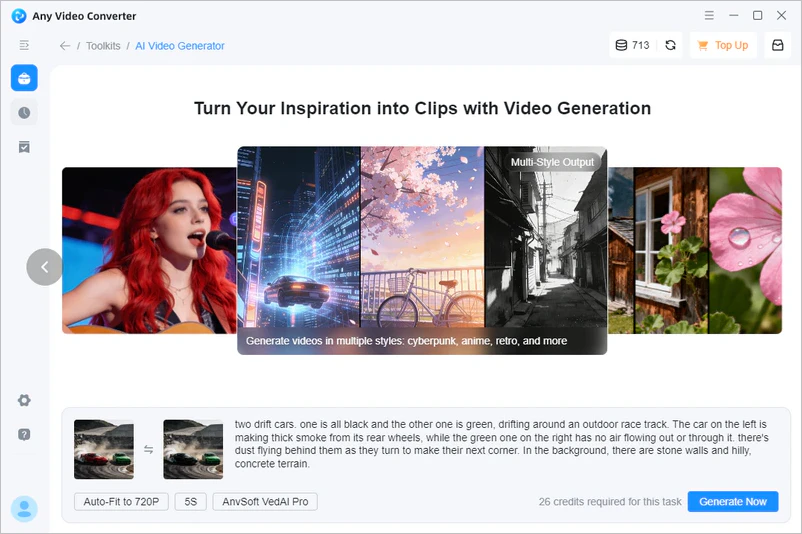
All images featured in this press release were created using Any Video Converter AI Image Generator and Any Video Converter AI Video Generator.

Upgrade 3 | AI Video Editor: Edit or Enhance the Generated Video
With the following tools, Any Video Converter lets you get the best results in one stop.
Enhance Video
- Enhance AI-generated videos to 4K or even 8K quality, further improving visual clarity and smoothness.
Merge Video
- Connect the AI-generated short videos into a long video and add transition effects to ensure continuity.
Add Audio to Video
- Add appropriate background music, sound effects, or narration to AI-generated videos to enhance their vividness.
Insert Subtitles to Video
- Add appropriate background music, sound effects, or narration to AI-generated videos to enhance their vividness.
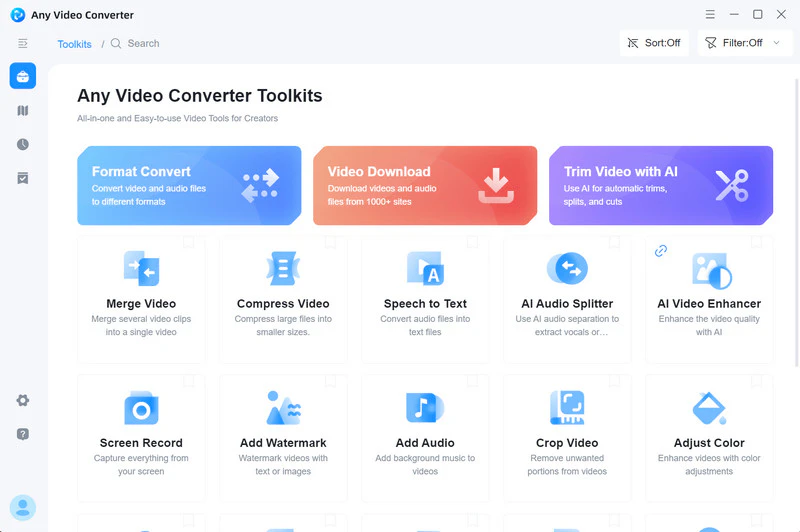
More Features of Any Video Converter
As its name suggests, Any Video Converter focuses on converting and editing media files. It is a comprehensive and user-friendly video conversion software. In addition to the features described above, its highlights also include the following:
1. Format Conversion
- Input formats: Supports almost all video/audio formats from GoPro, DJI, and various surveillance devices, including AVI, MP4, MKV, MOV, FLV, WMV, MP3, AAC, etc.
- Output formats: Can be easily converted to common formats and optimized for various devices such as iPhones, iPads, Android, and game consoles.
2. Video Download
- It allows users to download videos from YouTube, Vimeo, Dailymotion, and 1000+ websites and download them in specific formats, audio tracks, resolutions, subtitles, etc. The built-in browser significantly improves download stability, achieving a success rate of up to 99%.
3. DVD Related
- DVD burning: Burn video files to DVD discs and customize the template, menu, and navigation.
- DVD ripping: Soon, Any Video Converter will add this tool to convert DVD/ISO files to digital formats.
4. GPU Acceleration & High-Quality Output
- Utilizing hardware acceleration (via NVIDIA CUDA, AMD AMF, or Intel Quick Sync), processing speed can be significantly improved to 130x faster. Preserving high-quality video and audio for 4K, 8K, and HDR videos.
About Anvsoft Inc.
Anvsoft Inc. is a technology company that has been deeply involved in the multimedia software field since 2005, focusing on providing high-quality audio and video processing tools and industry solutions to users worldwide. The company's product portfolio covers a wide range of professional areas, encompassing multiple cutting-edge technology fields such as DVD/video processing tools, format conversion, AI image enhancement, AI video blurring, AI generators, and digital image editing. To date, its entire product line has accumulated over one million global visits and uses, continuously driving innovation and application of audio and video programs.
Anvsoft Inc.'s Mission:
Anvsoft Inc. always prioritizes user experience and customer satisfaction. We are committed to solving complex problems and driving program progress through cutting-edge technologies. We focus on data security, privacy protection, and software reliability, becoming the cornerstone of user trust.
Anvsoft Inc.'s Values:
Customer First: We build sustainable trust by focusing on customer service. Whether it's product design, feature updates, or troubleshooting, our goal is always to improve the user experience.
Innovation Driven: Innovation is not about changing for the sake of change but about solving real problems and creating long-term value, ensuring that technology applications always align with practical value.
Anvsoft Inc., as a truly exceptional software company, never separates user service from innovation. User feedback inspires innovation, and program improvements continuously enhance the efficiency of our services.
Contact: [email protected]
Facebook: https://www.facebook.com/Anvsoftware
X/Twitter: https://x.com/AnvSoft
Homepage: https://www.any-video-converter.com