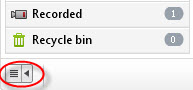
Click  button to hide and show the file management panel in Any Video Converter Free/Pro./Ultimate.
1. Click  button File > Set Output Folder..., specify output folder.
2. Click  button in the upper right corner of the main window. Choose "Audio" Tab , specify output folder.
1. Show the file management panel and click the profile in the left panel, then Right-click the converted file, click Open File Location from the pop-out menu or simply click  button to open file location.
2. Click button File > Open Output Folder...
No. The windows version Any Video Converter can not transfer video files to portal media players at the moment. You may use iTunes or our freeware Syncios to manage and transfer video files to iPod/iPhone/iPad. For Android smart phones users, you may use our freeware SynDroid to manage and transfer video files. For other PMPs, you need to use management applications respectively.
Please note: You can click button in the upper right corner of the main window, choose "Misc." Tab and check "Export converted files to iTunes automatically" option to export converted files to iTunes automatically after converting finished.
In the file management panel, output files are displayed by output profiles by default.
Yes. Please click on "Add Video(s)" to find the video files, then press "Shift" and select the needed files, and then click "Open".
You can also open the file folder where the video files located, then press "Shift" and select the needed files, and then directly drag and drop the selected video files into the program.
If your source video file doesn't have audio, you will get the "no audio" message. You can skip the message and process conversion directly. And your video output will be without audio just like the source video file.
Any Video Converter supports lots of input formats, output formats and devices like smart phones, PMP and tablets, please refer to supported input and output formats.
Please make sure your HTML5 video is in a format that supported by your browser. You can refer to the form below to get idea about the compatibility of different browsers.
Browser |
Video Formats |
||
Ogg Theora |
H.264 |
WebM/VP8 |
|
IE 7/8 |
No <Video> support |
No <Video> support |
No <Video> support |
IE 9 |
Not supported |
Supported |
Supported only if user installs WebM for IE 9 |
Chrome |
Supported |
Not supported |
Supported |
Firefox |
Supported |
Not supported |
Supported |
Safari |
Not supported |
Supported |
Not supported |
Opera |
Supported |
Not supported |
Supported |