AMV Converter , YouTube/Google Video Video Downloader, Video Converter for iPod, Zune, PSP, iPhone, 3GP Phone, MP4 player!
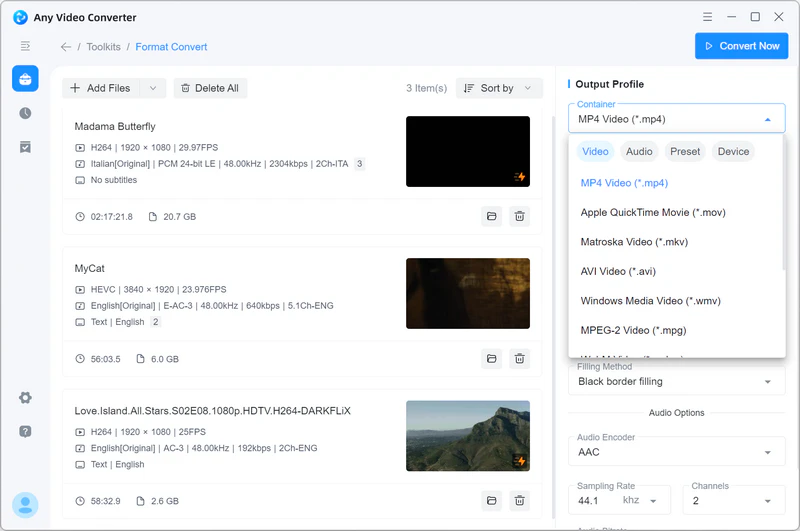
AMV Video Converter is a powerful tool to convert AMV to AVI, AMV to MPEG, AMV to WMV, AMV to MP4, VCD(MPG), DVD(MPG), 3GP, etc. formats. It can support also almost all video formats including: 3GP, 3G2, AMV, AVI, DivX, Xvid, FLV, MKV, MPEG, MPG, MP4, M4V, MJPG, MJPEG, MOV, RM, RMVB, DAT, VOB, WMV, ASF, etc..

AMV Video Converter is was developed for helping you to transform the media files into the MP3, WMA, WAV file format which can be played by MP3 Players.
AMVs are Anime Music Video files. These highly compressed files are commonly used on portable media devices, and saved at resolutions just large enough to fit small media player screens. The only available programs that can read AMV files are the softwares that come standard with the media players. If you would like to make an AMV file work with additional programs, it is possible to convert an AMV file into a more common file type, such as AMV to AVI, AMV to MPEG, AMV to WMV, AMV to MP4, AMV to 3GP.
AMV Video Converter Support List:
| • Convert AMV Video to AVI | • Convert AMV Video to WMV |
| • Convert AMV Video to MKV | • Convert AMV Video to MPEG4 |
| • Convert AMV Video to MPEG-I | • Convert AMV Video to MPEG-II |
| • Convert AMV Video to FLV | • Convert AMV Video to SWF |
| • Convert AMV Video to 3GP | • Convert AMV Video to 3G2 |
| • Convert AMV Video to NTSC Movie | • Convert AMV Video to PAL Movie |
| • Convert AMV Video to MP3 | • Convert AMV Video to OGG |
| • Convert AMV Video to WMA | • Convert AMV Video to M4A |
| • Convert AMV Video to AAC | • Convert AMV Video to WAV |
Convert AMV Video to MP4 The full tile of AMV is Anime Music Video, it contains a series of animes or videos to songs. In most case, the AMV files are not created by some officials site but the musicians, they create AMVs by synchronizing video files and music songs together, rock, hip hop, pop, R&B, country musics are normally mixed in videos.
iPhone, iPod is an multimedia smartphone developed by Apple Inc. which has many functions: internet-enabled, multi-touch screen functionality, mobile phone, digital camera and more...
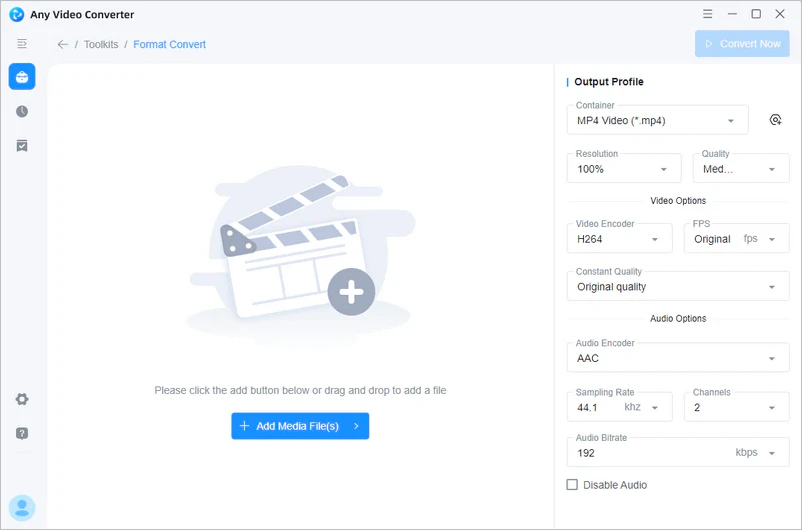
AMV Video Converter can convert all video formats inlcuding AMV to iPhone mp4. MPEG-4, XVID, H264/AVC video codec and MP3, AAC audio codec are supported. Also, it can support many other multimedia players.
AMV Video Converter Support List:
| Convert AMV to iPod Classic | Convert AMV to iPod Touch |
| Convert AMV to iPhone | Convert AMV to iPhone 3G |
| Convert AMV to Apple TV | Convert AMV to PSP |
| Convert AMV to PS3 | Convert AMV to Sony Walkman |
| Convert AMV to Zune | Convert AMV to Zune HD |
| Convert AMV to Xbox 360 | Convert AMV to Archos |
| Convert AMV to Sandisk Sansa | Convert AMV to iRiver |
| Convert AMV to Google Android | Convert AMV to BlackBerry |
| Convert AMV to Cowon | Convert AMV to Google Nexus One |
| Convert AMV to Toshiba | Convert AMV to Samsung Smartphones |
| Convert AMV to Nokia | Convert AMV to all kinds of netbooks |
| Convert AMV to Creative Zen | Convert AMV to mobile phones |
YouTube now accepts AVI files, but it still does not support AMV format. If you have some interesting AMV videos, and want to share to YouTube, what you need is AMV
Video Converter. It is the Best Video Converter software that created to help you convert AMV video to AVI and other popular formats with high speed and excellent sound/image quality. In addition, the Best Video Converter can also extract audio from video file and convert them to M4A, WMA, WAV, OGG...
What is AMV? AMV is a proprietary video file format, produced for MP4 players, as well as S1 MP3 players with video playback. There are now two different MTV formats: the older one for the Actions chip, and a newer one for ALi’s M5661 chip. This format for ALi one was ALIAVI.
Fully compatible with Windows Vista and 7
OS: 2000 SP4*, XP, Vista (32bit & 64bit), Windows 7 (32bit & 64bit)
Processor: 1GHz Intel/AMD processor or above
RAM: 256MB RAM (512MB or above recommended)
Free Hard Disk: 70MB for installation
Note: Manually download the "gdiplus.dll" file, and save it to the installation directory of the program in Windows 2000 SP4.
More Products
"Just purchased and used Any DVD Converter with my Sony NWZ-A818 - Absolutely brilliant. Whats more it even allows me to burn videos to my Sony-Ericsson 800i mobile phone, which is an unexpected bonus." -- John Smith
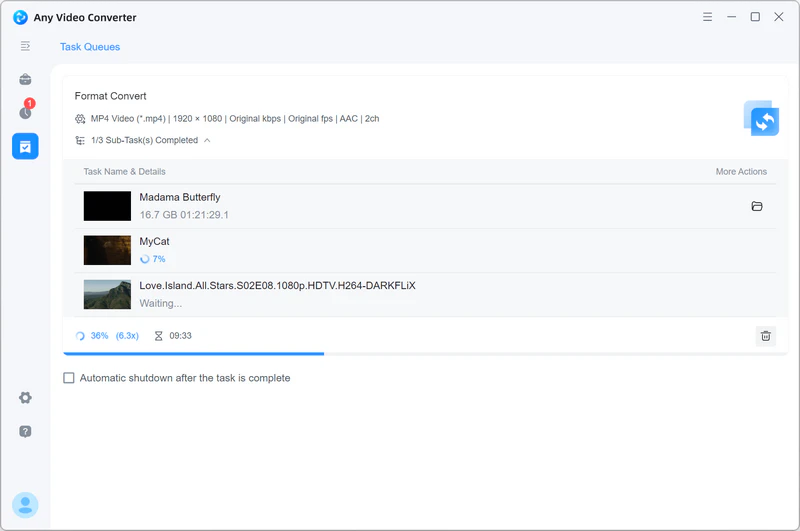
"Any Video Converter couldn't be much easier to use, and it supports batch conversions--always a nice perk.
You'll definitely want to add this utility to your video arsenal. " -- Rick Broida
YouTube video Reviews
Rave Reviews
![]()
Top 10 Free Video Rippers, Encoders, and Converters

Top User Review from Download.com
Top Editor Review from CNet
Hot Topics: