点击“编辑>选项”,或者打开左边文件转换管理器,点击右下角“选项”按钮,选择视频录制选项卡,即可打开视频录制选项设置窗口,如下图所示:
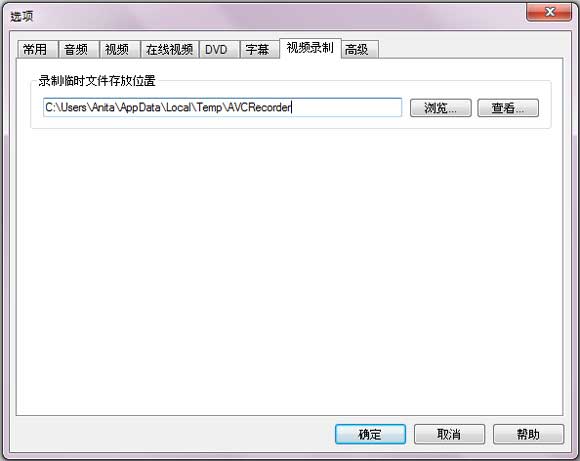
录制临时文件存放位置
点击浏览按钮打开录制视频文件所在文件夹,点击查看按钮更改录制文件存放路径。

"Have captured some Netflix streaming videos. Good quality! " -- Jane White
"Your HTML5 output profile with embedding code, really rocks! Easily shared DV on my site!" -- Eric Gates
"To my surprise, your video converter can also create DVD movies and record videos. Really an excellent bonus!" -- David James
"AVC Ultimate merits its label as the ultimate multimedia solution!" -- Loring Lee


Top Editor Review from PCWorld

Top Editor Review from CNET


 简体中文
简体中文 English
 Deutsch
 Français
 日本語
日本語 Italiano
 Español
 Português
 Pусский
 Polski
 Türkçe
 Brasileiro
 繁體中文
繁體中文